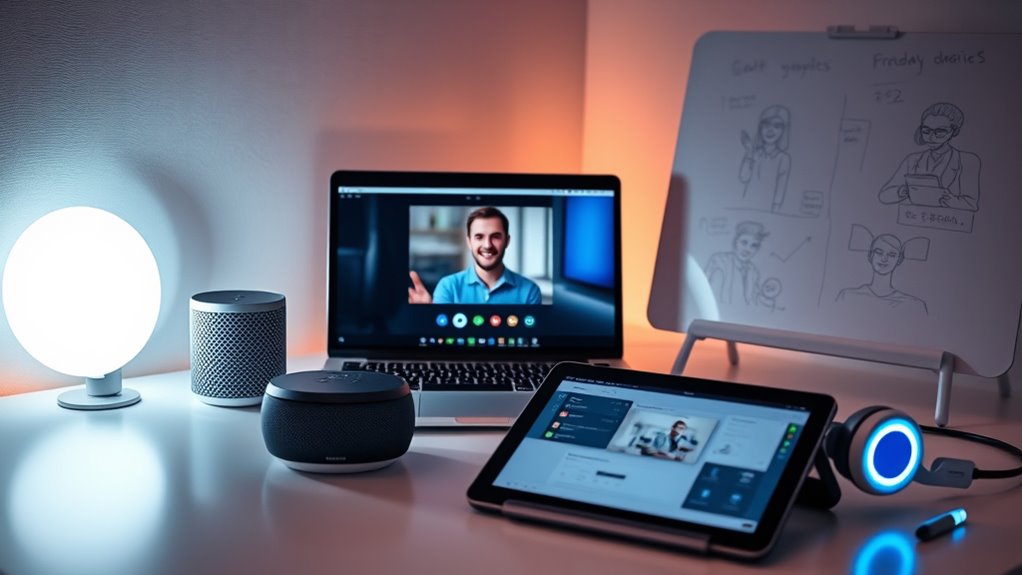

To improve remote collaboration, you should explore smart tools like integrated apps, communication platforms, and gadgets such as smart whiteboards or video conferencing devices. These tools streamline workflows, foster stronger team bonds, and make virtual interactions more engaging and productive. Cross-platform integrations ensure everything works smoothly across devices and time zones, reducing miscommunications. By adopting these solutions, you can turn remote work into a more effective and connected experience—discover how these tools can transform your teamwork in the next part.
Key Takeaways
- Utilize cross-platform apps like Slack, Microsoft Teams, and Asana for seamless communication and project management.
- Incorporate smart gadgets such as high-quality webcams, microphones, and digital whiteboards to enhance virtual meetings.
- Integrate tools like Zapier or IFTTT to automate routine tasks and synchronize data across apps.
- Leverage virtual team-building platforms with icebreakers, online games, and social spaces to foster team cohesion.
- Ensure tools are responsive and integrate smoothly to support real-time updates, reducing delays and miscommunications.

In today’s increasingly remote work environment, leveraging smart tools for collaboration has become essential for staying productive and connected. As you navigate the challenges of working from different locations, using the right apps and gadgets can make a significant difference in how effectively your team communicates and collaborates. Virtual team building has gained importance, not just for morale but for fostering trust and cohesion among dispersed members. Many modern tools support this by offering features like virtual icebreakers, online games, and social spaces that help team members connect on a personal level. These activities break down barriers, making it easier to work together seamlessly.
Embracing virtual team building fosters trust, cohesion, and seamless collaboration in today’s remote work environment.
A key aspect of effective remote collaboration is *guaranteeing* your tools can integrate smoothly across various platforms. Cross platform integrations allow you to connect different apps—like project management, communication, and file-sharing tools—so they work harmoniously. This means you don’t waste time switching between multiple platforms or duplicating efforts. Instead, your team can receive notifications in one place, update shared documents in real-time, and keep everyone on the same page without hassle. Apps like Slack, Microsoft Teams, and Asana are excellent examples, as they support numerous integrations that streamline workflows and reduce friction.
Furthermore, these integrations enable you to automate routine tasks, such as sending reminders or updating project statuses, saving valuable time. When your tools are interconnected, information flows freely, reducing miscommunications and *assuring* that everyone has access to the latest data. This is especially *imperative* when coordinating with team members across different time zones, as updates and changes are reflected instantly, minimizing delays and confusion. Additionally, understanding the importance of high refresh rates in certain tools can significantly enhance the responsiveness and clarity during virtual meetings or interactive sessions.
Smart gadgets also play a *key* role in remote collaboration. Video conferencing devices, smart whiteboards, and shared screens empower you to simulate in-office interactions, making meetings more engaging and productive. With high-quality cameras and microphones, you can create a more immersive experience that mimics face-to-face conversations. These gadgets, combined with integrated apps, help teams brainstorm, review documents, and solve problems more efficiently. They also encourage spontaneous interactions, which are often missing in virtual environments.
In essence, adopting the right combination of apps, gadgets, and cross platform integrations transforms remote work from a challenge into an opportunity for enhanced productivity and stronger team bonds. By focusing on tools that support virtual team building and seamless integration, you *guarantee* your team remains connected, motivated, and aligned—no matter where each member is located. This approach not only improves efficiency but also fosters a collaborative culture that thrives in today’s digital workspace.
Frequently Asked Questions
How Do I Ensure Data Security With Remote Collaboration Tools?
To guarantee data security with remote collaboration tools, you should implement strong data encryption to protect sensitive information during transmission and storage. Additionally, set up user access controls so only authorized team members can view or modify data. Regularly update your software, use complex passwords, and enable multi-factor authentication. These steps help safeguard your data and prevent unauthorized access, keeping your remote work environment secure and trustworthy.
Which Apps Are Best for Managing Remote Team Productivity?
Think of your team’s productivity tools as the engine driving success. As you manage remote teams, apps like Asana, Trello, and Monday.com stand out for project deadline management and keeping everyone motivated. They simplify task assignments, track progress, and foster collaboration. By choosing the right apps, you’ll keep your team engaged, motivated, and on schedule, making remote work feel less like a challenge and more like a well-oiled machine.
How Can I Troubleshoot Connectivity Issues During Virtual Meetings?
To troubleshoot connectivity issues during virtual meetings, start by testing your internet connection to identify any speed problems. Optimize bandwidth by closing unnecessary apps and background processes that could be slowing your connection. If issues persist, switch to a wired connection or move closer to your Wi-Fi router. Restart your device and router if needed. These steps help guarantee a smoother, more reliable virtual meeting experience.
Are There Any Tools for Real-Time Language Translation?
Imagine a bridge that gently connects different worlds—today, translation software acts as that bridge for language barriers. You can use real-time translation tools like Google Translate, Microsoft Translator, or Zoom’s integrated features to communicate smoothly across languages. These apps listen and convert speech instantly, making conversations more natural and inclusive. They’re invaluable for global teams, helping you break down language barriers effortlessly during virtual meetings.
How Do I Integrate Multiple Collaboration Apps Seamlessly?
To integrate multiple collaboration apps seamlessly, start by addressing integration challenges and ensuring app compatibility. Use platforms like Zapier or IFTTT to connect your apps, automating workflows and reducing manual effort. Check each app’s API support and compatibility features, and consider centralized dashboards to monitor all tools. Regularly update software and test integrations to prevent disruptions, making teamwork smoother and more efficient.
Conclusion
Embracing smart tools for remote collaboration truly transforms how you work. These apps and gadgets streamline communication, boost productivity, and make teamwork seamless. When you incorporate the right technology, you break down barriers and foster real connection, even from afar. The more you explore these tools, the more you’ll see their power to enhance your workflow. So, stay curious, adapt quickly, and watch your remote collaboration flourish—because the future is smarter, and it’s already here.