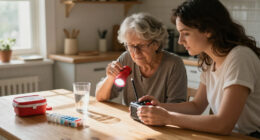
Among these life alert systems for seniors, I rank the Bay Alarm Medical SOS Mobile as the best overall for shoppers seeking a dedicated mobile alert system with GPS and optional fall detection. The Medical Guardian MGMini is a strong alternative for a compact wearable, while the WiFi Caregiver Pager suits households that want to alert a nearby caregiver without a monitoring subscription. The key tradeoff is between professional emergency response and a lower-cost, local alert that depends on someone being close enough to help. Mobile devices add location support away from home, while in-home systems can be simpler to use but may not travel with the wearer. Read on for the full breakdown, buying advice, and answers to common questions.

Turn quiet afternoons into listening time
- Thousands of audiobooks, podcasts and originals
- Listen on your phone, tablet or Echo — also offline
- Cancel anytime
Complete the kit


Key Takeaways
- Dedicated mobile alert systems such as Bay Alarm Medical SOS Mobile, ADT On-The-Go, and Safety+ pair a wearable with GPS or cellular features; confirm the service plan and coverage before choosing one.
- Caregiver pagers are a different kind of safety tool: the WiFi Caregiver Pager and CallToU options signal a nearby person rather than automatically connecting to a professional response center.
- No-monthly-fee claims need context. App-controlled and direct-connect products may avoid a monitoring plan, but the buyer must check who receives an alert and whether the device depends on a phone, Wi-Fi, or cellular service.
- Fall detection is an added safeguard, not a substitute for pressing the button; it may not detect every fall, and the wearer still needs to keep the device charged and within range.
- Fit and willingness to wear the device separate the strongest choices: a discreet smartband or compact pendant can be easier to keep on, while a wrist button or necklace may be simpler for users who dislike small wearables.
| Seculife Medical Alert Smartband for Seniors with Fall Detection & GPS |  | Best for Wearable Health and Location Features | Display: 2-inch medical alert smartwatch display | Emergency features: Two-way calling, SOS calling, and fall alerts | Location features: GPS tracking and geofencing | VIEW ON AMAZON | See Our Full Breakdown |
| Medical Alert System – No Monthly Fees – Waterproof Necklace and Wrist |  | Best No-Monthly-Fee Home Alert | Monthly fee: None listed | Included panic buttons: 2: wrist and necklace | Additional buttons: Supports up to 8 | VIEW ON AMAZON | See Our Full Breakdown |
| Bay Alarm Medical SOS Micro – 24/7 Medical Alert with Fall Detection for Seniors |  | Best for 24/7 Professional Monitoring on the Go | Connectivity: 4G LTE cellular | Monitoring: 24/7 professional monitoring | Fall detection: Listed in product name and description | VIEW ON AMAZON | See Our Full Breakdown |
| SecuLife Medical Alert Pendant for Seniors with Fall Detection and GPS Tracking |  | Best for Longer Wear Between Charges | Wear style: Medical alert pendant | Fall detection: Automatic fall detection | Location features: GPS tracking and geofence zones | VIEW ON AMAZON | See Our Full Breakdown |
| WiFi Caregiver Pager Life Alert System for Seniors with Waterproof Call Buttons and App Control |  | Best for Family Caregiver Alerts at Home | Connectivity: 2.4GHz Wi-Fi | Advertised range: Up to 656 feet (200 meters) | Included equipment: Waterproof call button, watch button, and receiver | VIEW ON AMAZON | See Our Full Breakdown |
| Life Alert System for Seniors No Monthly Fee App-Controlled Waterproof Wristband and Call Button |  | Best for App-Based Home Alerts | Waterproof wristband: Yes | Wireless range: Up to 300 feet | Wi-Fi support: 2.4GHz only | VIEW ON AMAZON | See Our Full Breakdown |
| Medical Guardian MGMini Medical Alert Device for Seniors |  | Best for Discreet Mobile Monitoring | Device type: Medical alert necklace | Battery life: 3 days | Recharge time: 4 hours | VIEW ON AMAZON | See Our Full Breakdown |
| ADT Medical Alert Plus – In-Home Emergency Response System, Black Wristband |  | Best for Long-Range Home Coverage | System type: In-home emergency response system | Maximum range: 600 feet | Wearable: Black wristband; ADT pendant listed as built-in media | VIEW ON AMAZON | See Our Full Breakdown |
| Bay Alarm Medical SOS Mobile GPS Medical Alert System with Fall Detection for Seniors |  | Best for GPS Coverage on the Go | Connectivity: 4G LTE | Location tracking: GPS | Weight: Under 2 ounces | VIEW ON AMAZON | See Our Full Breakdown |
| Help Now No Monthly Fees One-Touch Direct Connect Emergency Communicator Medical Alert Button Pendant – White |  | Best for Direct 911 Calling Without a Subscription | Connection: Direct to 911 | Fees: No monthly fee or subscription | Coverage: Nationwide where cell signal is available | VIEW ON AMAZON | See Our Full Breakdown |
| Medical Guardian MGMini Medical Alert Device for Seniors |  | Best for Discreet Everyday Wear | Device type: Medical alert necklace | Battery life: 3 days | Recharge time: 4 hours | VIEW ON AMAZON | See Our Full Breakdown |
| CallToU Caregiver Pager with 2 Wireless Call Buttons for Elderly at Home |  | Best for Simple In-Home Caregiver Alerts | System type: Wireless caregiver pager with receiver | Call buttons: 2 | Maximum range: 500 feet | VIEW ON AMAZON | See Our Full Breakdown |
| ADT On-The-Go Mobile Medical Alert System for Seniors, Neck Pendant |  | Best for Nationwide Mobile Monitoring | Model number: MD5 | Connectivity: Cellular | Technology: LTE/GPS | VIEW ON AMAZON | See Our Full Breakdown |
| Safety+ 4G Medical Alert System with Fall Detection and GPS |  | Best for Fall Detection and Longer Battery Life | Connectivity: 4G LTE | Battery life: Up to 6 days | Water resistance: Water-resistant | VIEW ON AMAZON | See Our Full Breakdown |
| Wireless Caregiver Pager with Call Button and Receiver for Elderly and Patients |  | Best for Long-Range Expandable Home Alerts | Range: Up to 1,500 feet | Included call buttons: 1 | Expandable call buttons: Up to 30 | VIEW ON AMAZON | See Our Full Breakdown |
| life alert systems for senior | Battery life |
|---|---|
| Seculife Medical Alert Smartba | About 1 day |
| Medical Alert System | — |
| Bay Alarm Medical SOS Micro | Up to 36 hours |
| SecuLife Medical Alert Pendant | Up to 6 days |
| WiFi Caregiver Pager Life Aler | — |
| Life Alert System for Seniors | — |
| Medical Guardian MGMini Medica | 3 days |
| ADT Medical Alert Plus | — |
| Bay Alarm Medical SOS Mobile G | Several days |
| Help Now No Monthly Fees One-T | — |
| Medical Guardian MGMini Medica | 3 days |
| CallToU Caregiver Pager with 2 | — |
| ADT On-The-Go Mobile Medical A | Approximately 40 hours |
| Safety+ 4G Medical Alert Syste | Up to 6 days |
| Wireless Caregiver Pager with | — |
More Details on Our Top Picks
Seculife Medical Alert Smartband for Seniors with Fall Detection & GPS
The Seculife Medical Alert Smartband suits seniors who want emergency calling alongside location and basic health readings in a watch-style device. Its SOS button, two-way calling, GPS, and fall alerts bring several safety functions together, while compatibility with iOS and Android lets family members use the companion app on common smartphones. Compared with the SecuLife Medical Alert Pendant, this model adds a display and heart-rate, blood-oxygen, and temperature measurements, but the pendant lists a much longer battery life: up to six days versus about one day here. That daily charging routine may be a poor fit for someone who forgets to charge devices. Premium safety features also require a subscription, and the available details do not clarify how every health metric or alert works. I’d choose it for a senior who prefers a smartwatch format and can keep up with charging.
Pros:- Combines SOS calling, fall alerts, GPS, and geofencing in a wrist-worn device.
- Two-way calling can connect the wearer with a contact during an emergency.
- Measures heart rate, blood oxygen, and body temperature.
- Works with Android and iOS smartphones.
Cons:- Battery life is about one day, creating a frequent charging burden.
- A subscription is required for premium safety features.
- Product details provide limited explanation of the health measurements and alert operation.
Best for: Seniors who want GPS-based safety, two-way calling, and basic health readings in a watch-style device and can charge it each day.
Not ideal for: People who may forget daily charging or want a pendant with longer stated battery life, such as the SecuLife Medical Alert Pendant.
- Display:2-inch medical alert smartwatch display
- Emergency features:Two-way calling, SOS calling, and fall alerts
- Location features:GPS tracking and geofencing
- Location systems:GPRS, GPS, and satellite
- Health metrics:Heart rate, blood oxygen, and body temperature
- Battery capacity:680 mAh
- Battery life:About 1 day
- Water resistance:Waterproof
- Compatibility:iOS and Android devices
Our verdict“Choose this smartband if the wearer wants health readings and GPS on the wrist and is comfortable charging it every day.”
Medical Alert System – No Monthly Fees – Waterproof Necklace and Wrist
This system is the lineup’s clearest fit for someone who wants a simple call-for-help setup at home without a monthly service fee. It includes both a wrist button and a necklace button, so the wearer can choose a style or keep one button nearby as a backup. The advertised 70,000-square-foot range and support for up to eight buttons also suit larger homes or households where several people need access to the alert system. Unlike the Bay Alarm Medical SOS Micro, it is not described as a portable, professionally monitored cellular device; calling depends on a phone line or cellular connection, and the product information does not establish how emergency calls are handled. Battery-life details are also absent. I’d favor it for households that value multiple buttons and no monthly fee over a clearly specified mobile monitoring service.
Pros:- No monthly service fee is listed.
- Includes both wrist and necklace panic buttons.
- Advertises a 70,000-square-foot range.
- Allows connection of up to eight buttons and calls to up to three phone numbers.
Cons:- Calling requires a phone line or cellular connection.
- Battery life is not specified.
- The product details do not explain professional monitoring or the handling of emergency calls.
Best for: Households seeking a no-monthly-fee home alert with wrist and necklace buttons, especially where several buttons or broad coverage are useful.
Not ideal for: Seniors who need a wearable system with clearly stated 24/7 professional monitoring or mobile GPS support, such as the Bay Alarm Medical SOS Micro.
- Monthly fee:None listed
- Included panic buttons:2: wrist and necklace
- Additional buttons:Supports up to 8
- Advertised range:70,000 sq ft
- Calling capacity:Calls up to 3 phone numbers
- Waterproof:Yes
- Calling connection:Requires phone line or cellular connection
Our verdict“Pick this for a home-based alert setup with multiple buttons and no listed monthly fee, but not as a substitute for clearly specified professional mobile monitoring.”
Bay Alarm Medical SOS Micro – 24/7 Medical Alert with Fall Detection for Seniors
The Bay Alarm Medical SOS Micro is the strongest match here for seniors who want a wearable alert device backed by 24/7 professional monitoring and cellular connectivity. Its compact form can be worn on the wrist, around the neck, or clipped to a belt, giving more placement choices than the wrist-only Seculife Medical Alert Smartband. Because it uses 4G LTE and is described as working without a smartphone, it can make sense for a wearer who does not want to manage a companion phone to call for help. The tradeoff is a stated battery life of up to 36 hours, which means frequent charging, and monitoring requires a monthly subscription. The supplied details also offer less location and health information than the Seculife smartband. I’d prioritize this over a no-fee home button system when professional mobile response matters more than avoiding recurring service costs.
Pros:- Includes 24/7 professional monitoring.
- Uses 4G LTE cellular technology and does not require a smartphone for emergency assistance.
- Can be worn as a wristband, necklace, or belt clip.
- IP67 water resistance supports use in wet conditions.
Cons:- Battery life is up to 36 hours, so frequent charging may be needed.
- Professional monitoring requires a monthly subscription.
- The listed features are more focused on alerts and location than on health measurements.
Best for: Seniors who want a compact, smartphone-independent wearable with cellular access and 24/7 professional monitoring.
Not ideal for: People who want to avoid monthly monitoring fees, need several days between charges, or want the health readings offered by the Seculife Medical Alert Smartband.
- Connectivity:4G LTE cellular
- Monitoring:24/7 professional monitoring
- Fall detection:Listed in product name and description
- Location tracking:Available
- Wear options:Wristband, necklace, or belt clip
- Water resistance:IP67
- Battery:Lithium-ion; one battery included
- Battery life:Up to 36 hours
Our verdict“Choose the SOS Micro if professional monitoring and flexible wear options matter more than long battery life or subscription-free service.”
SecuLife Medical Alert Pendant for Seniors with Fall Detection and GPS Tracking
Among the personal wearables in this group, the SecuLife Medical Alert Pendant stands out for its listed battery life of up to six days. That is a substantial practical advantage over the Seculife Medical Alert Smartband’s roughly one-day battery life and the Bay Alarm Medical SOS Micro’s stated maximum of 36 hours. Its combination of automatic fall detection, GPS tracking, two-way calling, and IP67 water resistance is aimed at seniors who may need help at home or while away. The pendant format may also suit someone who dislikes wearing a watch. However, full features require a monthly subscription, and the product information gives limited detail on durability beyond its water-resistance rating. I’d choose it over the smartband when fewer charging interruptions matter more than a display or health measurements.
Pros:- Lists battery life of up to six days, longer than the Seculife smartband and SOS Micro.
- Combines automatic fall detection with GPS tracking.
- Two-way calling supports direct communication through the device.
- IP67 water resistance supports wear in wet conditions.
Cons:- A monthly subscription is required for full features.
- Durability details beyond the water-resistance rating are limited.
Best for: Seniors who prefer a pendant and want GPS, two-way calling, and fall detection with fewer charging interruptions.
Not ideal for: Wearers who prefer a watch display and health readings, or buyers who do not want subscription-dependent features.
- Wear style:Medical alert pendant
- Fall detection:Automatic fall detection
- Location features:GPS tracking and geofence zones
- Communication:Two-way calling
- Water resistance:IP67
- Battery life:Up to 6 days
- Included items:Charging cable, SIM card, and user manual
- Subscription:Monthly subscription required for full features
Our verdict“Choose this pendant if longer time between charges and GPS-enabled alerts matter more than smartwatch features or avoiding a subscription.”
WiFi Caregiver Pager Life Alert System for Seniors with Waterproof Call Buttons and App Control
This system is designed around caregiver notifications at home, rather than a mobile connection to professional emergency responders. A call button, watch button, and receiver can alert family through app notifications, while the advertised 656-foot range gives a wearer room to move around the property. Waterproof buttons and adjustable ringtone and volume settings help adapt the alert to daily routines and a caregiver’s hearing needs. Unlike the Bay Alarm Medical SOS Micro, it is not presented as a cellular wearable with 24/7 professional monitoring; it depends on a 2.4GHz Wi-Fi network, and SMS or phone-call alerts require a subscription. That makes network reliability and caregiver availability part of the safety plan. I’d choose it for an occupied home with reachable family caregivers, not for someone who needs independent mobile coverage.
Pros:- Sends app notifications and family alerts to caregivers.
- Includes waterproof call and watch buttons plus a receiver.
- Advertises a range of up to 656 feet with wall penetration.
- Basic service is described as having no monthly fee; ringtone and volume can be customized.
Cons:- Requires a 2.4GHz Wi-Fi network.
- SMS and phone-call alerts require a subscription.
- The Wi-Fi-based caregiver setup is not the same as the SOS Micro’s cellular professional monitoring.
Best for: Seniors living with or near family caregivers who want home alerts sent through a receiver and app without a monthly fee for basic service.
Not ideal for: People who live alone, need professional emergency monitoring, or want alerts to work beyond the home or without 2.4GHz Wi-Fi.
- Connectivity:2.4GHz Wi-Fi
- Advertised range:Up to 656 feet (200 meters)
- Included equipment:Waterproof call button, watch button, and receiver
- Alert channels:App notifications and family alerts
- Waterproof:Yes
- Monthly fee:No monthly fee for basic service
- SMS and call alerts:Subscription required
- Alert settings:Customizable ringtones and volume levels
Our verdict“Choose this for a Wi-Fi-connected household with available family caregivers, but select a professionally monitored cellular device if the wearer needs independent emergency response.”
Life Alert System for Seniors No Monthly Fee App-Controlled Waterproof Wristband and Call Button
This system suits households that want caregiver notifications without a recurring monitoring plan. Its waterproof wristband can be worn in the shower, while the call button connects over Wi-Fi and a wireless signal with a stated range of up to 300 feet. App sharing lets multiple caregivers receive alerts, a useful distinction from the Help Now pendant, which is designed to connect directly to 911 rather than coordinate household app notifications. The tradeoff is that this is not described as a professionally monitored service, so family members need to be ready to respond. It also depends on 2.4GHz Wi-Fi, and SMS alerts require a subscription. I’d choose it for an at-home care network comfortable managing app settings, not for someone needing guaranteed live emergency dispatch.
Pros:- Waterproof wristband supports wearing the alert button in the shower
- App sharing allows multiple caregivers to receive notifications
- Stated wireless range reaches up to 300 feet
- No monthly fee for the app-based caregiver alerts described
Cons:- Does not describe 24/7 professional emergency monitoring
- Wi-Fi support is limited to 2.4GHz
- SMS notifications require a subscription and app support is limited to Tuya Smart and Smart Life
Best for: Seniors living at home whose family members can monitor app alerts and want a shower-safe button without a standard monthly monitoring fee
Not ideal for: People who need a professional response center, SMS alerts without an added subscription, or a system compatible with 5GHz-only Wi-Fi
- Waterproof wristband:Yes
- Wireless range:Up to 300 feet
- Wi-Fi support:2.4GHz only
- Connectivity:Wi-Fi and wireless signal
- App compatibility:Tuya Smart, Smart Life
- App sharing:Supports multiple users
- Number display:6 LED
- No monthly fee:Yes; SMS notifications require a subscription
Our verdict“Choose this for family-managed, at-home alerts and shower use, but pick a monitored system if you need a response center to answer every alarm.”
Medical Guardian MGMini Medical Alert Device for Seniors
The MGMini is the strongest fit here for someone who wants a compact alert they can carry beyond the house and connect to 24/7 professional monitoring. Its necklace format can also be worn with a belt clip, and the device provides hourly location updates along with step counting. That makes it a different proposition from the in-home ADT Medical Alert Plus, whose listed range is tied to its home base rather than location tracking on the go. The cost of that broader support is an ongoing monitoring subscription, with fall detection available as an additional service. A three-day battery life also means regular charging needs to be part of the routine. I’d favor it over no-fee buttons when a response service matters more than avoiding recurring costs.
Pros:- 24/7 professional emergency response is available with an active service plan
- Lanyard and belt-clip options allow discreet or practical wear
- Hourly location updates support use away from home
- Three-day battery life offers several days between charges
Cons:- An active monitoring subscription is required
- Fall detection costs extra
- Limited to one device per member, with a four-hour recharge time
Best for: Seniors who leave home regularly, want a discreet wearable with location updates, and are comfortable maintaining an active monitoring subscription
Not ideal for: People seeking a no-monthly-fee device, households wanting multiple active devices per member, or anyone unlikely to charge a device every few days
- Device type:Medical alert necklace
- Battery life:3 days
- Recharge time:4 hours
- Monitoring:24/7 service; subscription required
- Fall detection:Optional; additional service fee applies
- Wearing options:Lanyard or belt clip
- Device limit:One device per member
- Color:Silver
Our verdict“Choose the MGMini if mobile coverage and a monitored response matter more than avoiding a subscription.”
ADT Medical Alert Plus – In-Home Emergency Response System, Black Wristband
For seniors who spend time in different parts of a house or step outside nearby, the ADT Medical Alert Plus stands out for its stated 600-foot range from the base. It pairs a wearable wristband with 24/7 professional monitoring, so it offers a response service that the app-controlled B0H8PG1P3N does not describe. The added home temperature alerts also give caregivers another way to spot a household risk. This is an in-home system, though, not a mobile GPS device like the Medical Guardian MGMini; its listed coverage is not a substitute for protection while traveling. It also needs a corded power source and a paid monitoring plan, and activation can take extra setup. I’d shortlist it for a home with broad indoor coverage needs, not for seniors who want a subscription-free wearable.
Pros:- Stated 600-foot range supports movement around the home and nearby outdoor spaces
- 24/7 professional monitoring provides access to an emergency response service
- Waterproof wristband offers a wearable alert option
- Temperature alerts add a household safety notification
Cons:- Professional monitoring requires a monthly service fee
- Corded electric power limits placement to locations near an outlet
- Activation and setup may involve additional steps
Best for: Older adults who want professional monitoring and a wearable alert across a larger home or nearby outdoor area
Not ideal for: Seniors seeking protection away from home, a no-fee option, or a system that does not depend on a corded base unit
- System type:In-home emergency response system
- Maximum range:600 feet
- Wearable:Black wristband; ADT pendant listed as built-in media
- Monitoring:24/7 professional monitoring required
- Power source:Corded electric
- Battery:One 9-volt lithium-ion battery
- Sensor technology:Temperature
- Dimensions:7 x 6 x 2.75 inches
Our verdict“Pick ADT for broad in-home range and monitored support, but choose a GPS system if the senior needs coverage away from home.”
Bay Alarm Medical SOS Mobile GPS Medical Alert System with Fall Detection for Seniors
The Bay Alarm Medical SOS Mobile is aimed at seniors who need an alert device that can travel with them, not just reach across a home. 4G LTE connectivity and GPS tracking support emergency use away from the base, while its under-two-ounce weight and necklace or belt-clip options make daily carry less intrusive. Compared with the ADT Medical Alert Plus, which offers a longer stated range around the home, this Bay Alarm model is the more relevant choice for errands and outings. It also offers optional fall detection, though the available details do not establish how accurately it detects falls. The system requires a subscription and depends on cellular coverage, so it cannot provide the same kind of support in areas without a signal. I’d prioritize it for mobile independence over no-fee home buttons like Help Now.
Pros:- 4G LTE and GPS support emergency use away from home
- Weighs under two ounces for easier everyday carry
- Can be worn with a neck lanyard or belt clip
- Battery lasts several days, according to the product details
Cons:- A subscription is required for full functionality
- Service depends on available cellular coverage
- Fall detection is optional and its accuracy is not specified
Best for: Seniors who regularly go out alone and want a lightweight GPS alert with 24/7 assistance and optional fall detection
Not ideal for: People who need reliable alerts in areas without cellular coverage, want to avoid subscriptions, or require clearly specified fall-detection performance
- Connectivity:4G LTE
- Location tracking:GPS
- Weight:Under 2 ounces
- Water resistance:Water-resistant
- Battery life:Several days
- Wearing options:Neck lanyard or belt clip
- Fall detection:Optional
- Subscription:Required
Our verdict“Choose this Bay Alarm system for lightweight GPS coverage on outings, provided cellular service and a subscription fit your needs.”
Help Now No Monthly Fees One-Touch Direct Connect Emergency Communicator Medical Alert Button Pendant – White
The Help Now pendant keeps its job narrow: press one button to connect directly to 911, with no monthly subscription described. That makes it a straightforward alternative to the Medical Guardian MGMini, which pairs its wearable with a paid 24/7 monitoring service. It may suit someone who wants a simple way to place an emergency call without adding a caregiver app or monitoring plan. The tradeoff is that Help Now is limited to emergency calls; it does not provide the family alert sharing of the Wi-Fi wristband system or the GPS and optional fall detection offered by the Bay Alarm Medical SOS Mobile. It also relies on cell signal and needs battery replacement over time. I’d choose it for a user who can communicate directly with 911 and wants the simplest no-fee setup, not for someone needing ongoing check-ins or a managed response center.
Pros:- Direct one-touch connection to 911
- No monthly fee or subscription is listed
- Simple design focuses on placing an emergency call
- Includes a lanyard and protective shield
Cons:- Requires cell signal to connect
- Provides emergency calls only, without caregiver alerts or location tracking
- Three AAA batteries need replacement over time
Best for: Seniors who want a simple, subscription-free button for contacting 911 and have dependable cellular signal where they use it
Not ideal for: People who need caregiver notifications, GPS location tracking, fall detection, professional monitoring, or service in weak-signal areas
- Connection:Direct to 911
- Fees:No monthly fee or subscription
- Coverage:Nationwide where cell signal is available
- Batteries:3 AAA
- Included accessories:Lanyard and protective shield
- Alert method:One-touch emergency call
Our verdict“Choose Help Now for direct, no-subscription 911 access, but select a monitored or GPS-enabled device for broader support.”
Medical Guardian MGMini Medical Alert Device for Seniors
I’d pick the MGMini for someone who wants an alert device that looks less conspicuous than a traditional pendant and can be worn at home or while out. Its SOS button, two-way speaker, and location tracking put it closer to a mobile medical alert system than the CallToU caregiver pager, which only alerts a nearby receiver and does not provide professional monitoring. The three-day battery life also means fewer charging interruptions than the ADT On-The-Go’s approximately 40-hour battery. The tradeoff is that active monitoring requires a subscription, and fall detection costs extra; those recurring costs may matter to buyers comparing it with no-monthly-fee alert options. It also supports only one active device per member, so it is less suited to households seeking a shared setup.
Pros:- Discreet necklace design with customizable wearing options
- Two-way speaker, SOS button, and location tracking support help beyond the home
- Three-day battery life reduces how often it needs charging
- 24/7 US-based monitoring is available with a subscription
Cons:- Active monitoring requires an ongoing subscription
- Fall detection is an added-cost option
- Only one active device is supported per member
Best for: Seniors who want a discreet wearable with two-way communication and location tracking for both home and outings.
Not ideal for: People who want monitoring without a subscription, automatic fall detection included, or multiple active devices for one member.
- Device type:Medical alert necklace
- Battery life:3 days
- Recharge time:4 hours
- Fall detection:Optional add-on
- Fall detection add-on:$10/month
- Color:Rose Gold
- Monitoring:24/7 US-based monitoring available by subscription
Our verdict“Choose the MGMini if discreet wear and mobile monitoring matter more than avoiding a subscription or add-on costs.”
CallToU Caregiver Pager with 2 Wireless Call Buttons for Elderly at Home
The CallToU caregiver pager is a practical choice when the main need is summoning a nearby family member or caregiver, not contacting a professional monitoring center. Two waterproof call buttons let a user request help from different rooms, while the 500-foot range gives a caregiver room to move around the home or yard. That makes it more flexible than the single-button Wireless Caregiver Pager, although that model advertises a longer range and expansion options. Unlike the MGMini or ADT On-The-Go, CallToU does not offer GPS, two-way conversation, or mobile emergency response; it is a local alert system, not a substitute for those services. The receiver must stay plugged in, and the call buttons depend on replaceable batteries, so buyers should plan for outlet access and battery upkeep.
Pros:- Two call buttons can be placed in separate locations
- Up to 500-foot wireless range supports use around the home
- Waterproof buttons suit locations where splashes are likely
- Adjustable receiver volume and multiple ringtones allow household customization
Cons:- Receiver must be plugged into an outlet, limiting portability
- Provides a local caregiver alert rather than professional emergency monitoring
- Call-button batteries require replacement for continued operation
Best for: Households where an older adult needs an easy way to alert a caregiver who is nearby and within the home’s wireless range.
Not ideal for: Seniors who spend time alone outside the home or need professional monitoring, GPS, or two-way communication.
- System type:Wireless caregiver pager with receiver
- Call buttons:2
- Maximum range:500 feet
- Waterproof:Yes
- Receiver power:Plugs into an outlet
- Button batteries:2 x 12V alkaline batteries, included
- Maximum audible volume:110 dB
- Mounting type:Tabletop receiver
Our verdict“Choose CallToU for straightforward, nearby caregiver alerts at home, but choose a monitored mobile system for help when the user is alone or away.”
ADT On-The-Go Mobile Medical Alert System for Seniors, Neck Pendant
I’d put the ADT On-The-Go on the shortlist for seniors who leave home regularly and want a monitored alert device with LTE/GPS connectivity. A single button can connect the wearer to ADT’s 24/7 monitoring, while GPS helps locate them during an emergency; that is a different level of support from the CallToU pager, which only signals a nearby receiver. The included wristband and cradle charger offer some choice in how it is worn and stored, and the device is waterproof for everyday exposure to water. Its main compromise is roughly 40 hours of battery life, shorter than the MGMini’s three days and Safety+’s stated up-to-six-day battery life. A monitoring plan is required, and the cellular connection and GPS features may feel like more technology than a homebound user needs.
Pros:- LTE/GPS supports emergency communication and location information away from home
- 24/7 ADT professional monitoring
- Waterproof device for everyday wear
- Includes a wristband and cradle charger alongside the mobile device
Cons:- Battery life is approximately 40 hours, so regular charging is needed
- Professional monitoring requires a monthly plan
- Cellular and GPS functions may be unnecessary complexity for home-only use
Best for: Active seniors who travel beyond the home and want 24/7 professional monitoring with cellular service and GPS location.
Not ideal for: People who mainly need a low-maintenance in-home call button or who do not want a monitoring plan and frequent charging.
- Model number:MD5
- Connectivity:Cellular
- Technology:LTE/GPS
- Battery life:Approximately 40 hours
- Waterproof:Yes
- Monitoring:ADT-monitored 24/7
- Included accessories:Medical alert mobile device, wristband, cradle charger
- Dimensions:0.63 x 1.75 x 2.75 inches
- Weight:1.76 ounces
Our verdict“Choose ADT On-The-Go if monitored help and location support outside the home outweigh the need for longer battery life.”
Safety+ 4G Medical Alert System with Fall Detection and GPS
Safety+ combines 4G LTE, GPS, and fall detection for seniors who want more than a button that must be pressed during an emergency. Automatic fall detection can offer a route to help if the wearer cannot reach the SOS button, while battery life of up to six days reduces charging frequency compared with the ADT On-The-Go’s approximately 40 hours. The charging dock, lanyard, and belt clip also give the user more than one way to carry it. Setup is described as easy and does not require a smartphone, a useful distinction from app-dependent caregiver systems. The tradeoff is the ongoing monitoring subscription after the included first month, and the product data gives limited detail about multilingual support. Compared with the MGMini, Safety+ includes fall detection in its feature set rather than listing it as an add-on.
Pros:- Fall detection and GPS add support beyond a manual SOS call
- Battery life is listed as up to six days
- Setup does not require a smartphone
- Lanyard and belt clip provide different wearing options
Cons:- Monitoring subscription is required after the first month
- Ongoing monthly service cost may not suit buyers seeking a no-fee system
- Product details provide limited information about multilingual support
Best for: Seniors seeking mobile monitoring with fall detection and a longer stated battery life, especially those who do not use a smartphone.
Not ideal for: Buyers who want to avoid ongoing monitoring fees or need clear information about multilingual support before choosing a system.
- Connectivity:4G LTE
- Battery life:Up to 6 days
- Water resistance:Water-resistant
- Fall detection:Included
- GPS:Included
- Included accessories:Charging dock, lanyard, belt clip
- Monitoring:First month included; $40/month thereafter
Our verdict“Choose Safety+ if fall detection and fewer charging sessions are priorities and you are comfortable paying for ongoing monitoring.”
Wireless Caregiver Pager with Call Button and Receiver for Elderly and Patients
The Wireless Caregiver Pager makes the most sense when caregivers need a simple alert across a larger property, rather than a mobile medical alert service. Its stated 1,500-foot range exceeds the CallToU pager’s 500-foot range, and support for up to 30 call buttons can suit a home with multiple rooms or several people who may need assistance. Five volume levels and 58 ringtone choices help caregivers tailor the receiver to their environment. Still, this is a local signaling system: unlike the ADT On-The-Go, it does not provide GPS or professional monitoring, and it cannot connect the wearer to emergency responders on its own. The receiver and buttons also need power, so buyers should check placement and power arrangements before relying on it. Its expansion capacity is useful, but it does not add medical-alert functions.
Pros:- Stated wireless range of up to 1,500 feet
- Expandable to as many as 30 call buttons
- 58 ringtone options and five volume levels, including a listed maximum of 120 dB
- IP55 water- and dust-resistance rating
Cons:- Provides basic local alerts rather than professional emergency monitoring
- Requires power for the receiver and call buttons
- No smart home integration is listed
Best for: Caregivers covering a large home or property who want to add call buttons or receivers to a basic local alert setup.
Not ideal for: Seniors who need mobile coverage, automatic fall detection, GPS location, or a monitored connection to emergency services.
- Range:Up to 1,500 feet
- Included call buttons:1
- Expandable call buttons:Up to 30
- Receivers:1 included; expandable
- Ringtones:58
- Volume levels:5, from 0 to 120 dB
- Operating temperature:-4°F to 140°F
- Warranty:18 months
Our verdict“Choose this pager over CallToU when a longer stated range and expandable call-button network matter more than mobile monitoring.”
How We Picked
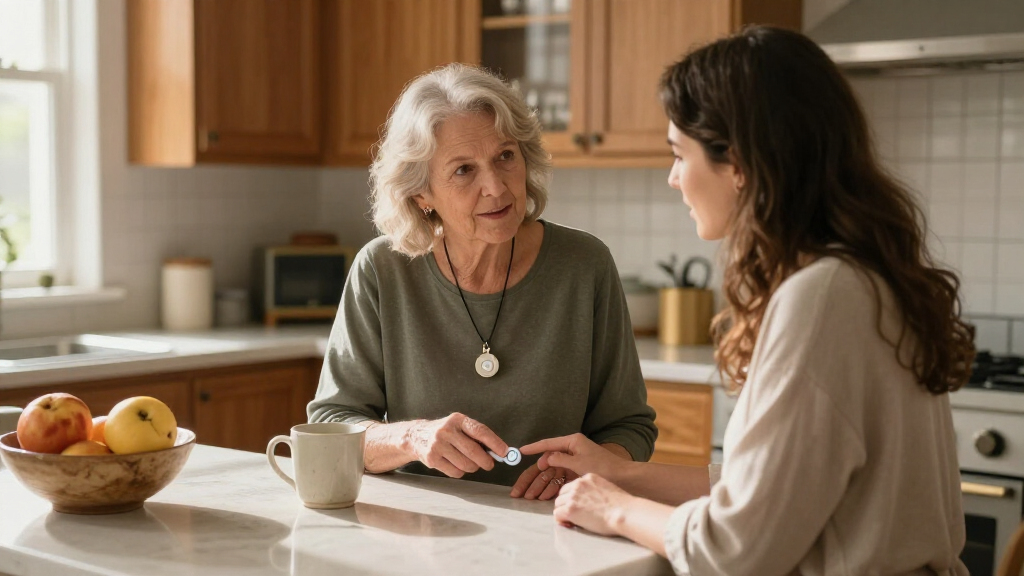
I ranked these systems by how clearly they address the core senior-safety need: getting help after a fall, sudden illness, or other emergency. I gave more weight to products that describe a direct path to emergency assistance, usable mobile connectivity or home coverage, and practical details such as GPS, fall detection, waterproofing, and wearable form. Ease of use matters as much as feature count: a device is less useful if its controls, charging routine, or setup are difficult for the person who needs it.
I also separated monitored medical alerts from caregiver call-button kits, since they serve different situations and should not be treated as interchangeable. The ranking favors options that appear better suited to independent use and emergency response, while lower placements reflect narrower use cases, less clarity about response arrangements, or overlap with stronger alternatives. The list includes the Medical Guardian MGMini twice as supplied; I treat the duplicate as one product rather than inventing a difference between identical listings. Buyers should verify current service terms, network coverage, included accessories, and device compatibility before ordering.
Factors to Consider When Choosing Life Alert Systems For Seniors
Choosing a life alert system starts with the person’s daily routine and the kind of help they can realistically reach. I would decide who should receive an alert, where the system needs to work, and whether the wearer can manage charging and wearing it before comparing feature lists.
Decide Who Answers the Alert
A button that contacts a professional monitoring center works differently from one that alerts a family member or nearby caregiver. Ask whether pressing the button connects to a staffed response service, a phone app, a receiver in the home, or an emergency number. Then consider what happens if the first person does not answer, the phone is unavailable, or the wearer cannot speak. A caregiver pager can be a practical choice when a helper is regularly on site, but it is not a substitute for a monitored service when the wearer spends time alone. Avoid choosing by the phrase “life alert” alone; confirm the alert path and who is responsible for acting on it.
Match Coverage to Where the Wearer Goes
In-home systems are intended for a defined home area, while mobile devices are designed to travel and may use GPS and cellular connectivity. A common mistake is assuming GPS alone means the device can place a call anywhere; location features and communication coverage are separate capabilities. Check cellular network support where the senior lives, visits family, and regularly travels. For someone who rarely leaves home, a mobile plan may add complexity without much benefit. For a person who walks, runs errands, or lives alone, a wearable with out-of-home coverage may justify its charging and service requirements.
Treat Fall Detection as Backup, Not the Main Plan
Automatic fall detection can help when a person cannot press the button, but it should not be treated as a guarantee that every fall will trigger an alert. Device placement, movement, and the type of fall can affect detection. Ask whether the feature is included or requires a separate service, and find out what happens after a suspected fall. The wearer should still know how to activate the call button manually and keep it within reach. If falls are a known concern, pair the alert device with a home-safety review and a clear plan for responding to an alert.
Check the Full Cost and Service Terms
A no-monthly-fee device may reduce ongoing expense, but the tradeoff can be that alerts go to a caregiver or rely on an app rather than a staffed response center. Monitored systems may involve a recurring plan, activation terms, or other service conditions that are not obvious from a product name. Before buying, verify what the listed device includes, whether emergency monitoring is active, and whether a separate subscription is needed for GPS, fall detection, or cellular access. Also check cancellation terms and what happens if service is interrupted. Compare the total arrangement—not just whether a monthly fee is advertised.
Choose a Wearable the Senior Will Keep On
Form factor affects whether the system is available when an emergency happens. A pendant may be easy to find and press, while a wristband can feel more familiar to someone who already wears a watch; a compact device may appeal to someone who dislikes conspicuous equipment. Waterproofing matters if the wearer may need help in the bathroom or shower, but buyers should verify the stated water limits rather than assume full submersion is safe. Consider button size, weight, charging frequency, and whether the person can put it on without assistance. A less feature-packed device worn consistently can be more useful than a feature-rich one left on a table.
Plan for Charging, Setup, and Backup
Every electronic alert system has practical upkeep, and a dead battery can leave a wearable unable to send an alert. Ask how the device signals low battery, how often it needs charging, and whether the senior can manage that routine independently. App-based products may also depend on a compatible smartphone, Wi-Fi, or a caregiver who checks notifications. Test the setup with the people who will receive alerts and make sure they understand how to respond. If the wearer has memory, vision, hearing, or dexterity challenges, prioritize a simple control scheme and a backup plan rather than extra app features.
Frequently Asked Questions
Do no-monthly-fee life alert systems contact emergency services?
Not necessarily. Some no-monthly-fee products alert a caregiver through a receiver or app, while others may offer a different direct-connect arrangement. Check the exact alert destination and whether a staffed monitoring service is included or requires a separate plan. Also ask what happens if a caregiver does not answer or the internet connection fails. A lower ongoing cost may suit a home with a reliably nearby helper, but it is not equivalent to professional monitoring by default.
Should I choose a mobile GPS system or an in-home alert?
Choose based on where the senior is most likely to need help. An in-home system may suit someone who spends most of the day at home and wants a straightforward way to reach help there. A mobile GPS system is better suited to someone who goes out alone and needs an alert device that travels with them. Confirm that the mobile system has compatible cellular coverage in the places the wearer visits. If both home and away coverage matter, ask the provider how each location is covered rather than assuming one device handles every situation.
Can fall detection replace pressing the help button?
No. Fall detection is a backup feature and may not identify every fall or other medical emergency. The wearer should still press the button when able, and caregivers should understand how the system handles an automatic alert. Ask whether fall detection is part of the selected service and whether the wearer must use a particular device position for it to work. A system that the senior consistently wears and can activate is a stronger foundation than relying on automatic detection alone.
Are caregiver pagers a substitute for monitored medical alert systems?
They serve different needs. A caregiver pager can notify someone nearby in the home, which may work well when a helper is regularly present and can respond quickly. It generally does not provide the same response path as a system connected to a professional monitoring center, and it may not help when the senior is alone or away from the receiver. Consider who is on site at different times of day and what backup exists if that person cannot respond. For a senior who spends time alone, confirm that the chosen system can reach help beyond the household.
What should I verify before ordering a wearable alert device?
Confirm the service destination, coverage area, cellular or Wi-Fi requirements, and whether the plan includes monitoring, GPS, and fall detection. Check how the device charges, what its water resistance covers, and whether the wearer can comfortably use its button and put it on independently. Ask about service cancellation, equipment returns, and what happens during a network or power interruption. If the product depends on an app, verify that a compatible phone is available and that someone will monitor notifications. These details can change whether a device is a practical safety system or simply a call button.
Conclusion
For a best overall choice, I’d start with the Bay Alarm Medical SOS Mobile for shoppers seeking a dedicated mobile alert with GPS and fall-detection features. The best value depends on what support is already available: a caregiver pager may fit a household with someone close by, while a monitored device may make more sense for a senior who is often alone. For a best premium direction, compare established monitored mobile options such as ADT On-The-Go and Bay Alarm Medical’s mobile system, checking service terms and coverage before deciding. The best for beginners is the option with the clearest response path, the simplest controls, and a charging routine the wearer can manage; a feature-heavy device is not automatically easier. For specific needs, choose a compact wearable such as the MGMini for a discreet form, a GPS-enabled system for independent outings, or a caregiver pager when a helper is consistently nearby. I’d make the final choice by matching the alert destination and coverage to the senior’s routine, then confirming the device is comfortable enough to wear every day.