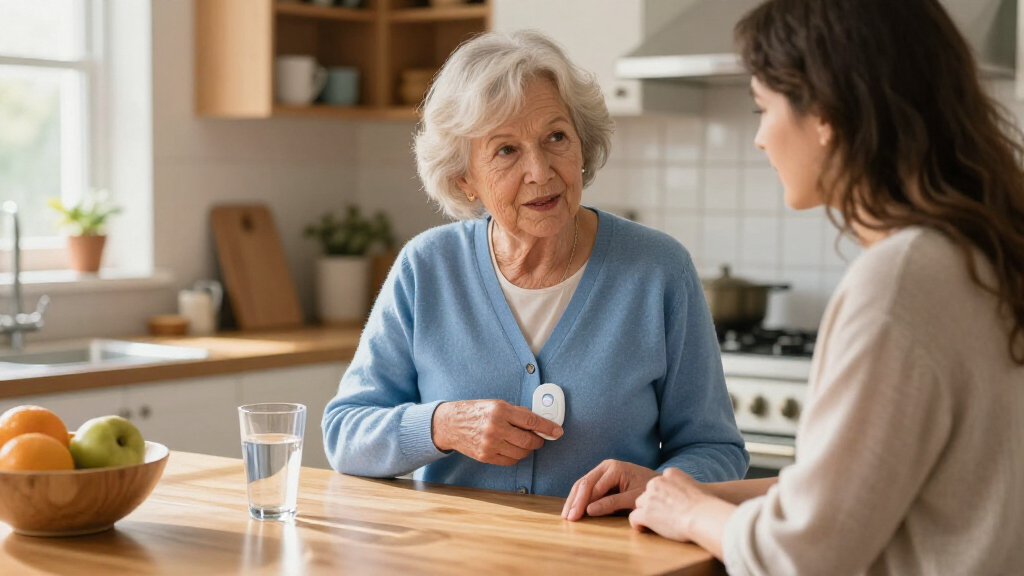

Choosing a medical alert system for a senior is less about finding the most feature-packed device and more about deciding where help needs to be available. In-home systems connect a wearable button to a base unit installed in the home; mobile systems use cellular service, and often GPS, to reach a monitoring center away from that base. Both can summon assistance, but they solve different safety problems.

Turn quiet afternoons into listening time
- Thousands of audiobooks, podcasts and originals
- Listen on your phone, tablet or Echo — also offline
- Cancel anytime

SecuLife Medical Alert Pendant for Seniors with Fall Detection, GPS Tracking, and Two-Way Calling
- ✔ Connectivity: 4G LTE cellular
- ✔ Alert features: Fall alerts and SOS alerts to selected contacts
- ✔ Calling: Two-way calling

Wi-Fi Medical Alert System for Seniors with Call Buttons, Waterproof Wristband, Receiver, and LED Display
- ✔ Connection: Wi-Fi and wireless signaling
- ✔ Wi-Fi band: 2.4 GHz only
- ✔ Stated maximum range: Up to 300 feet

CallToU Caregiver Pager with 2 Wireless Call Buttons and 2 Receivers
- ✔ Included components: Two wireless call buttons and two receivers
- ✔ Stated range: Over 500 feet in open areas
- ✔ Ringtones: 55 options
The central tradeoff is coverage versus cost and simplicity. An in-home system is often the sensible choice for someone who spends most of the day at home and has reliable power and a suitable phone or cellular connection. A mobile system makes more sense for someone who walks, runs errands, visits family, or wants protection beyond the front door. The comparisons below focus on coverage, connection, usability, fall detection, response, cost, and upkeep—factors that affect whether the device will actually be available and used when needed.
At a Glance
| Criteria | In-Home Medical Alert Systems | Mobile Medical Alert Systems | Winner |
|---|---|---|---|
| Where it works | Usually inside the home and within range of the base unit | Can work away from home where the device has compatible cellular coverage | B |
| Connection and setup | Uses a home base connected by landline or cellular service; setup is generally stationary | Uses cellular service and may use GPS; requires charging and initial setup | A |
| Ease of use | Wearable button pairs with a base unit; no mobile device to carry | Wearer must remember and carry or wear the mobile device | A |
| Fall detection | May be offered as an add-on; performance and availability vary by provider and device | May be available as an add-on or built-in feature; not a guarantee of detecting every fall | Depends |
| Response and location details | Monitoring staff can communicate through the base unit; caller location is generally the registered home | Can provide location information when supported and available; monitoring staff can still ask the wearer for details | B |
| Typical cost | Often the lower-cost option, though equipment, monitoring, and add-ons affect the total | Often costs more because of mobile equipment, connectivity, and monitoring | A |
| Charging and upkeep | Base unit needs power; wearable battery requirements depend on the model | Portable device needs regular charging and should be checked before outings | A |
SecuLife Medical Alert Pendant for Seniors with Fall Detection, GPS Tracking, and Two-Way Calling
For a senior who is still mobile, the SecuLife pendant is the most complete option in this group. Its 4G LTE connection supports two-way calling, while GPS tracking, geofence alerts, and location history can help selected contacts understand where the wearer is. Those functions address a gap the two home-oriented systems do not: a receiver-based alarm or paired pager cannot provide the same listed location and calling features when the wearer is out of range or away from home.The large SOS button offers a direct way to ask for help, and the listing says fall alerts can notify selected contacts. That can be valuable when a wearer cannot reach a phone, but we should not treat automatic fall detection as infallible or as a substitute for confirming who responds. The listing describes contact alerts and two-way calling; it does not establish that a staffed response center is included. Families should verify the alert workflow, cellular coverage in the senior’s routine locations, and whether contacts are available to answer.IP67 water resistance makes this more practical for everyday wear than the Wi-Fi system, whose waterproof claim applies only to its wristband remote. The main cost of that broader reach is ongoing dependence: a subscription is required, and the battery is described as lasting up to six days in one place and averaging five days elsewhere in the product information. We would plan around the shorter figure and establish a charging routine. Compared with CallToU, SecuLife is better for outdoor independence, but CallToU is simpler if all alerts only need to reach nearby caregivers at home.
Pros:
- GPS tracking, geofence alerts, and location history support location sharing
- Two-way 4G LTE calling and a large SOS button enable direct contact
- Fall alerts can notify selected emergency contacts
- IP67 design is suited to everyday wear around water
Cons:
- A monthly subscription is required
- Battery-life information varies between up to six days and an average of five days
- The listing does not clarify that a staffed response center is included
Best for: A senior who regularly leaves home and wants GPS location features, two-way calling, and fall alerts connected to selected contacts.
Not ideal for: A senior who wants a no-subscription local alarm, dislikes wearing and charging a pendant, or needs a clearly documented staffed emergency monitoring service.
Bottom line: We rank SecuLife first for seniors who need an alert device beyond the home, provided the subscription, battery routine, and contact response plan are acceptable.
“We rank SecuLife first for seniors who need an alert device beyond the home, provided the subscription, battery routine, and contact response plan are acceptable.”
Wi-Fi Medical Alert System for Seniors with Call Buttons, Waterproof Wristband, Receiver, and LED Display
This system suits a senior whose routine is mostly at home and who wants both a nearby audible alert and optional smartphone notifications. Pressing a button activates a 110 dB receiver alarm, so someone in the home may hear the call even without relying on a paid notification service. The receiver alarm works without a monthly fee, which separates this pick from SecuLife’s required subscription, but it is not the same as professional monitoring or guaranteed contact with an off-site caregiver.The system’s wireless range is stated as up to 300 feet, and the app can share notifications with others. That gives it a useful middle ground between a basic local pager and a cellular pendant: families can add phone-based awareness, but they should distinguish app alerts from SMS, which requires a subscription. Wi-Fi support is 2.4 GHz only, so households using only a 5 GHz network or a combined router configuration may need to check compatibility before buying.Its wearable wristband remote is waterproof for shower use, a meaningful advantage in a room where falls are a concern. However, the listing only identifies the wristband remote as waterproof; we would not assume the call buttons or receiver can get wet. Compared with CallToU, this option adds Wi-Fi and an LED number display but has a shorter stated range and more network setup. Compared with SecuLife, it is more home-bound and lacks listed GPS, cellular calling, and fall detection. It makes the most sense when the household values a no-fee audible alarm and accepts that remote notifications may involve configuration or an SMS subscription.
Pros:
- Receiver alarm works without a monthly fee
- Wristband remote is waterproof for shower use
- App notifications can be shared with others
- Wireless range is stated as up to 300 feet
Cons:
- SMS notifications require a subscription
- Wi-Fi supports 2.4 GHz only
- Only the wristband remote is specified as waterproof
Best for: A senior who spends most of the day at home and wants a loud receiver alarm, a waterproof wearable wristband, and optional shared app notifications.
Not ideal for: A senior who needs GPS or cellular coverage outdoors, a household without compatible 2.4 GHz Wi-Fi, or anyone assuming all components are waterproof or professional monitoring is included.
Bottom line: We recommend this as a home-focused choice when a no-fee local alarm matters more than outdoor coverage or a clearly documented emergency response service.
“We recommend this as a home-focused choice when a no-fee local alarm matters more than outdoor coverage or a clearly documented emergency response service.”
CallToU Caregiver Pager with 2 Wireless Call Buttons and 2 Receivers
CallToU is the straightforward pick when the goal is to let a nearby caregiver know that a senior needs assistance. The kit includes two call buttons and two receivers, so a button can be placed where help is most often needed and receivers can be positioned in separate parts of the home. The set is also described as waterproof and dustproof across its buttons and receivers, a broader protection claim than the Wi-Fi system’s wristband-only waterproofing.Its stated range is over 500 feet in open areas, greater than the Wi-Fi system’s stated 300 feet. That number can help when planning a large property, but walls, floors, and interference can reduce real-world reach; we would test the actual layout before relying on it. The receivers need electrical outlets, so this is not a fully portable setup. The five volume levels, up to 110 dB, and 55 ringtone choices can help households find a sound that is noticeable without being needlessly disruptive.Compared with the Wi-Fi system, CallToU is less connected: the listing describes receiver alerts rather than app sharing or SMS. Compared with SecuLife, it does not provide listed GPS, cellular calling, or fall detection, and it is intended for a caregiver within receiver range. That simplicity can be an advantage when the senior and caregiver are at home and want a local call system without app setup, but the product information does not establish professional monitoring or automatic emergency dispatch. We rank it third because it is useful for a narrower in-home role, not because its basic alert function is inherently poor.
Pros:
- Two wireless call buttons and two receivers are included
- Stated range exceeds 500 feet in open areas
- Five volume levels reach up to 110 dB, with 55 ringtone options
- Buttons and receivers are described as waterproof and dustproof
Cons:
- Receivers must be plugged into electrical outlets
- The stated range applies to open areas and may be lower indoors
- No GPS, cellular calling, or fall detection is listed
Best for: A senior living with or near a caregiver who wants two call points and multiple plug-in receivers across the home.
Not ideal for: A senior who is frequently away from home, needs GPS or fall detection, wants smartphone notifications, or cannot depend on receivers being plugged into outlets.
Bottom line: We favor CallToU for a simple, shared home alert setup, but seniors who need outdoor protection or phone-based contact should choose a more connected system.
“We favor CallToU for a simple, shared home alert setup, but seniors who need outdoor protection or phone-based contact should choose a more connected system.”
As an Amazon Associate we earn from qualifying purchases.
Key Differences
The biggest practical difference is the boundary of protection. An in-home button can be a strong fit for someone who is usually indoors, but its usefulness may end when the wearer leaves the base unit’s range. A mobile system extends coverage beyond the house when cellular service is available. That added reach matters for active seniors, but it only helps if the device is carried, charged, and connected. A mobile unit left on a bedside table offers no protection during a walk.
In-home systems usually favor simplicity and lower recurring cost: the wearable links to a home base, and the wearer can speak with the monitoring center through that unit. Mobile systems trade some of that simplicity for portability, GPS or location features on supported models, and additional equipment or service costs. Neither category guarantees that a fall will be detected or that a signal will get through in every location. Buyers should verify the provider’s coverage, device range, monitoring terms, and fall-detection limits, then match those details to the senior’s routines and ability to keep the device ready.
Detailed Comparison
Where the system works (Mobile Medical Alert Systems wins — major)
Mobile wins by a major margin for coverage. An in-home wearable typically needs to stay within range of its base unit, so it suits household routines rather than trips around town. A mobile unit can connect away from home in areas covered by its cellular network, and some models offer location information. That is useful for walks, shopping, or visiting relatives. The limitation is real: coverage can weaken indoors, in remote areas, or where the service has no signal. If the senior rarely leaves home, that extra reach may not justify the added expense.
Connection and setup (In-Home Medical Alert Systems wins — moderate)
In-home systems have a moderate advantage in straightforward daily operation. Their base remains in one place and may use a landline or cellular connection, so the user does not need to manage a phone-like device while moving around. Mobile systems depend on cellular coverage, initial configuration, and a charged portable unit. That does not make them difficult for every user, but there are more points to check. For a senior or caregiver who wants a fixed, predictable setup, the in-home arrangement is usually easier to maintain.
Ease of use and wearability (In-Home Medical Alert Systems wins — moderate)
In-home systems have a moderate edge for people who prefer a simple wearable button. The button is paired with the home base and can be worn without carrying a separate portable unit. Mobile protection asks for a habit: wear or carry the device whenever leaving, and remember to charge it. For someone comfortable with that routine, mobility is a worthwhile gain. For someone who often forgets belongings or has difficulty handling small controls, the simplest device they will consistently wear matters more than a longer feature list.
Fall detection (moderate difference)
There is no dependable category-wide winner. Both in-home and mobile systems may offer automatic fall detection, often for an extra charge, but the feature can miss some falls or trigger an alert when there was no fall. Availability depends on the specific device and plan. Mobile fall detection can be useful outside the home if the device is worn and has a connection; a home-based feature may suit someone whose risk is concentrated indoors. Buyers should ask how the device detects falls, whether the feature costs extra, and what happens if it cannot connect. A manual help button remains important.
Response and location information (Mobile Medical Alert Systems wins — moderate)
Mobile systems have a moderate advantage when a user may need help away from the registered home. In-home units commonly let the monitoring center speak with the user through the base and identify the registered address. A mobile model may share GPS or other location data when the device supports it and has a usable signal. That can help staff direct assistance if the wearer cannot clearly describe where they are. Location data is not a substitute for an active connection, and providers differ in how they handle alerts. Check whether the monitoring center is staffed around the clock and how it contacts responders and listed contacts.
Typical cost and value (In-Home Medical Alert Systems wins — moderate)
In-home systems usually win on cost, a moderate difference for many households. Mobile service often costs more because it includes portable equipment and cellular connectivity, and some plans charge separately for fall detection or other features. The extra cost buys protection beyond the home, not automatically better protection inside it. If the wearer stays home, paying for mobility can mean funding a feature that sees little use. If regular outings are part of the person’s life, the higher fee may be justified by coverage the home base cannot provide. Compare the full monthly and equipment costs, not just an advertised starting rate.
Charging and upkeep (In-Home Medical Alert Systems wins — moderate)
In-home systems have a moderate practical advantage for users who may forget to charge devices. A mobile unit must have enough battery for an outing and may need regular charging; caregivers may need to check that habit. An in-home base needs a reliable power connection, and the wearable’s battery arrangement varies by model, but the wearer generally does not need to carry a separate mobile device. Ask providers about battery life, low-battery alerts, backup power, and what happens during an outage. A theoretically wider coverage area is of little value if the portable unit is routinely uncharged.
In-Home Medical Alert Systems: Pros and Cons
Pros:
- Usually costs less than mobile coverage.
- Fixed base and wearable button can make everyday use straightforward.
- A good fit for seniors who spend most of their time at home.
Cons:
- Protection is generally limited to the base unit’s range.
- Does not provide the same out-of-home coverage as a mobile device.
- A home power or connection problem can affect service; backup details vary.
Mobile Medical Alert Systems: Pros and Cons
Pros:
- Can provide protection away from home where cellular coverage is available.
- GPS or location features on supported devices may help staff find a wearer who cannot give an address.
- Better aligned with an active routine that includes walks, errands, and visits.
Cons:
- Usually costs more than an in-home system.
- Requires the wearer to carry or wear the device and keep it charged.
- Cellular coverage and automatic fall detection have limits.
Who Should Choose What
Choose In-Home Medical Alert Systems if:
- The senior spends nearly all day at home and wants a help button within the house.
- Keeping monthly costs down matters more than having protection during outings.
- The wearer prefers a simple, fixed setup and may not reliably charge or carry a portable device.
Choose Mobile Medical Alert Systems if:
- The senior regularly walks, shops, travels locally, or visits people without a companion.
- Protection beyond the home is a priority and the device’s cellular network covers the places the wearer goes.
- The wearer can keep a portable unit charged and is likely to carry or wear it consistently.
Skip both if: Neither category is a fit if the senior will not wear or carry a device, or if the system cannot connect reliably where help is needed. Discuss other safety arrangements with caregivers and a clinician, and verify local service coverage before paying.
Value for Money
In-home coverage is generally the better value for a home-centered routine: it can provide a direct way to request help without paying extra for portability that goes unused. Mobile service is worth paying more for when the senior is frequently away from home and wants a way to contact a monitoring center during those outings. Its value depends on practical use, not the presence of GPS or a longer feature list. Before signing up, compare equipment fees, monthly monitoring, cellular coverage, fall-detection charges, cancellation terms, and any required commitment. A lower advertised monthly price may not reflect the total cost, and a more expensive plan is not automatically safer if the device stays uncharged or at home.
Final Verdict
For a senior who mostly stays at home, choose an in-home medical alert system: it is usually simpler and less expensive, with coverage built around the place where help is most likely to be needed. Choose a mobile system for someone who spends meaningful time out of the house and can reliably wear, carry, and charge the device. The deciding factor is not age or a feature checklist; it is whether protection is needed beyond the base unit’s range. If outings are routine, the additional cost of mobile coverage is justified. If they are rare, in-home service is the more practical buy.
Frequently Asked Questions
Can an in-home medical alert system work outside the house?
Usually, its wearable button works only within the range of its home base. Exact range varies by model and the home’s layout. Ask the provider for the tested range and do not assume the button will reach a yard, garage, or outbuilding without checking.
Does a mobile medical alert system work everywhere?
No. Mobile systems depend on compatible cellular coverage, and GPS or location features also depend on the device and conditions. Check the provider’s network against the places the senior actually visits, including inside the home and regular walking routes.
Is automatic fall detection worth paying extra for?
It may add a layer of protection for someone at elevated fall risk, especially if they might be unable to press the help button. It can also miss falls or produce false alerts, so it should not replace a wearable help button or a plan for contacting support. Confirm the feature’s price and limits with the provider.
Which type is better for someone who lives alone?
Living alone does not determine the answer by itself. An in-home system may fit a person who stays home; a mobile system is more suitable if they regularly go out alone. Match coverage to routine, then check whether the wearer can use and maintain the device consistently.
Cold & flu season Picks
humidifiers
As an affiliate, we earn on qualifying purchases.