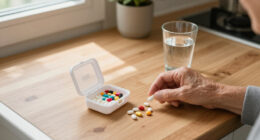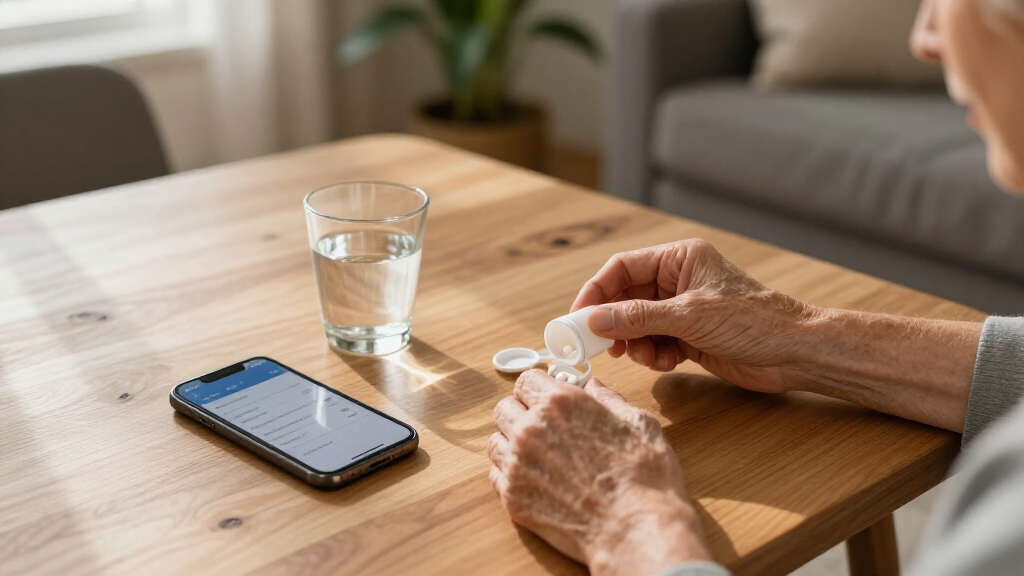

This guide provides clear instructions for caregivers or seniors to set up and use an automatic pill dispenser. The goal is to ensure medications are taken correctly and on schedule, reducing missed doses or errors. Suitable for those with basic technical skills, this process involves selecting the right device, configuring it properly, and understanding its operation. Completing this task improves medication adherence and safety.

Turn quiet afternoons into listening time
- Thousands of audiobooks, podcasts and originals
- Listen on your phone, tablet or Echo — also offline
- Cancel anytime

Windtrace Automatic Pill Dispenser for Elderly with Alarm
- ✔ Number of Compartments: 28
- ✔ Alarm Type: Loud alarm with flashing light
- ✔ Number of Dosage Times: 6

28-Day Automatic Pill Dispenser with Alarm and Desiccant, No App
- ✔ Capacity: 28 compartments
- ✔ Compartment Size: Ca tablets 0.79", vitamins 0.31", capsules 0.75"
- ✔ Moisture Protection: Water-resistant lid with dual desiccant chambers

Colorwing 2025 Smart Pill Dispenser for Seniors – 31-Slot Automatic Medication Organizer
- ✔ Slots: 31
- ✔ Battery: 1200mAh, lasts 30+ days
- ✔ Bluetooth: 5.0
Difficulty: Intermediate | Time: 30-45 minutes
What You’ll Need
Tools & Materials:
- None required (device and possibly a smartphone or computer for setup)
Knowledge:
- Basic understanding of medication schedules
- Ability to operate simple electronic devices
Ensure the medication list is accurate before starting. Have the medication bottles or blister packs ready for input. Check the internet connection if the device requires app setup.
Windtrace Automatic Pill Dispenser for Elderly with Alarm
The Windtrace Automatic Pill Dispenser shines for its user-friendly design, making it ideal for seniors needing simple medication management. Its large compartments and loud, flashing alarms help ensure medication adherence, especially for those with visual or hearing impairments. Compared with more advanced options, it doesn’t include app connectivity or multi-lock features, but its straightforward interface is a clear advantage for users who prefer simplicity. The requirement of 4 AA batteries and limited to 6 medication times per day are notable tradeoffs, but overall, it balances ease of use and reliability effectively.
Pros:
- Easy to program and operate, even for those with limited dexterity
- Multiple alarms and large compartments improve convenience
- Visual flashing lights reinforce medication timing
Cons:
- Requires 4 AA batteries, which are not included
- Bulky size may hinder portability
- Limited to 6 dosage times per day
Best for: Seniors who need a straightforward, easy-to-program device with visual and auditory alerts.
Not ideal for: Those seeking app integration, multiple daily doses, or a more compact, travel-friendly model.
Bottom line: A reliable, easy-to-use dispenser perfect for seniors who prioritize simplicity and visual alerts over advanced features.
“A reliable, easy-to-use dispenser perfect for seniors who prioritize simplicity and visual alerts over advanced features.”
28-Day Automatic Pill Dispenser with Alarm and Desiccant, No App
This manual 28-day dispenser offers a hygienic, moisture-resistant solution with its slide-door tray and dual desiccant chambers, ideal for storing vitamins, capsules, and other moisture-sensitive pills. Its one-press dispensing mechanism simplifies medication routines, and customizable sound and light alerts help reinforce adherence. Compared to smart devices, it lacks app connectivity but excels in durability and ease of maintenance. It’s best suited for home use, where a straightforward, moisture-proof design is prioritized over remote monitoring or lock features. Its inability to accommodate gummy capsules and lack of digital integration are notable limitations, but for many seniors, its simplicity is a key advantage.
Pros:
- One-press dispensing simplifies medication routines
- Hygienic slide-door tray reduces contamination
- Moisture-proof design maintains pill integrity
- Customizable alerts improve adherence
Cons:
- No app or remote control capability
- Not suitable for assisted living or institutional settings
- Gummy capsules may stick in the compartments
Best for: Seniors needing a moisture-proof, straightforward dispenser without digital or app features.
Not ideal for: Users seeking smart connectivity, regulated institutional use, or those who take gummy supplements frequently.
Bottom line: A durable, moisture-resistant dispenser that offers simplicity and reliability for daily home use without tech complexity.
“A durable, moisture-resistant dispenser that offers simplicity and reliability for daily home use without tech complexity.”
Colorwing 2025 Smart Pill Dispenser for Seniors – 31-Slot Automatic Medication Organizer
The Colorwing 2025 Smart Pill Dispenser offers an impressive array of safety and convenience features, including fingerprint and mechanical dual locks, customizable voice reminders, and smart dose scheduling. Its Bluetooth app support enables remote monitoring and control, which makes it suitable for tech-savvy seniors or caregivers managing multiple users. Its large 31-slot capacity, rechargeable battery lasting over a month, and easy one-touch access make it stand out for convenience and enhanced safety. However, initial setup and pairing with a smartphone could be daunting for seniors unfamiliar with technology, and complex features might overwhelm less tech-oriented users. This makes it better suited for those comfortable with smart devices or with caregiver support.
Pros:
- Easy one-touch access suitable for arthritis and limited dexterity
- Dual-lock security with fingerprint and backup key
- Remote control and monitoring via Bluetooth app
- Customizable voice reminders and smart scheduling
Cons:
- Requires initial setup and smartphone pairing
- Battery life varies with usage
- Features may be overwhelming for some users
Best for: Tech-savvy seniors or caregivers seeking advanced safety and remote management features.
Not ideal for: Seniors who prefer simple, non-digital devices or are uncomfortable with setup and pairing processes.
Bottom line: A feature-rich, secure dispenser that combines safety and smart management but demands familiarity with technology for optimal use.
“A feature-rich, secure dispenser that combines safety and smart management but demands familiarity with technology for optimal use.”
As an Amazon Associate we earn from qualifying purchases.
Before You Start
Confirm the senior’s medication schedule and the number of doses per day. Read the device manual carefully to understand its features. Make sure the device is compatible with the medications and that the environment is suitable—dry, stable surface away from extreme temperatures.
Step-by-Step Instructions
Step 1: Choose the appropriate automatic pill dispenser
Select a model that suits the senior’s medication schedule, number of doses, and accessibility needs. Consider features like audible alerts, large buttons, and remote monitoring options.
Tip:Opt for a device with clear display and simple interface if the senior has limited dexterity or vision.
Check: The chosen device matches the medication schedule and has the necessary features for ease of use.
Step 2: Prepare the medications for input
Gather all medications to be loaded, checking labels and dosing instructions. Remove pills from bottles or blister packs as needed.
Tip:Verify medication details against prescriptions to prevent errors. Keep medications organized for efficient input.
Check: All medications are correctly identified, with proper labels and doses ready for loading.
Step 3: Load medications into the dispenser
Open the dispenser’s medication compartments as instructed by the manual. Carefully place each medication in its designated slot, following the schedule order.
Tip:Use the device’s labeling or numbering system to match doses to the correct compartment.
Check: All pills are correctly placed in the appropriate compartments, with no spills or misplacements.
Step 4: Configure the device settings
Turn on the device and set the medication schedule, including times and doses, following the user manual. Connect the device to Wi-Fi or Bluetooth if required, and set preferences like alerts or remote monitoring.
Tip:Double-check each scheduled time and setting before finalizing to prevent missed or extra doses.
Check: The device displays the correct schedule and is connected if applicable, with alerts enabled.
Step 5: Test the dispenser’s operation
Run a test cycle by manually activating the dispenser to release a dose. Observe if the correct medication is dispensed at the scheduled time.
Tip:Ensure the senior or caregiver is present during the test to verify the correct medication and operation.
Check: The correct medication is dispensed cleanly and on schedule during the test, confirming proper setup.
Step 6: Explain operation and maintenance to the user
Walk the senior or caregiver through the device’s operation, including how to refill medications, reset schedules, and respond to alerts.
Tip:Provide written instructions or a quick reference guide for future reference.
Check: The user demonstrates understanding by correctly operating the device and performing basic maintenance tasks.
Common Mistakes to Avoid
- Loading medications into incorrect compartments — Double-check the schedule and label each compartment before loading pills.
- Setting incorrect times or doses — Review each schedule entry carefully and confirm before saving settings.
- Failing to test the device after setup — Always run a manual test cycle to verify proper operation before regular use.
Troubleshooting
Problem: Device does not dispense medication at scheduled time
Solution: Check if the device is powered on, connected properly, and schedule settings are correct. Restart the device if needed.
Problem: Medication jams or blocks the dispenser
Solution: Open the compartment, carefully remove any jammed pills, and clean the dispensing area if necessary.
Problem: Device shows error messages or alerts
Solution: Consult the manual for error codes, reset the device if instructed, or contact technical support if unresolved.
What Success Looks Like
The dispenser accurately releases the correct medication at each scheduled time, with no jams or errors. The senior can operate basic functions and understands how to refill and reset as needed. The device’s alerts and notifications are active and functioning.
Next Steps
Regularly monitor the device for proper operation, refill medications before they run out, and update schedules if medications change. Clean the device periodically as per manufacturer instructions. Contact support if issues persist or if medication needs change.
Frequently Asked Questions
How often should I refill the dispenser?
Refill the dispenser as soon as it starts to run low, typically weekly, to prevent missed doses. Check the device’s alerts for reminders.
Can I program multiple doses per day?
Yes, most devices support multiple daily doses. Follow the specific scheduling instructions for your model.
What should I do if the device stops working?
First, check power and connections. Restart the device. If problems persist, consult the troubleshooting guide or contact customer support.
Is it safe to use with all types of medications?
Most medications are compatible, but always verify with the device manual and consult a healthcare professional if unsure about specific medications.
Fall Picks
fall essentials
As an affiliate, we earn on qualifying purchases.