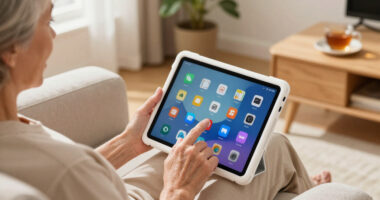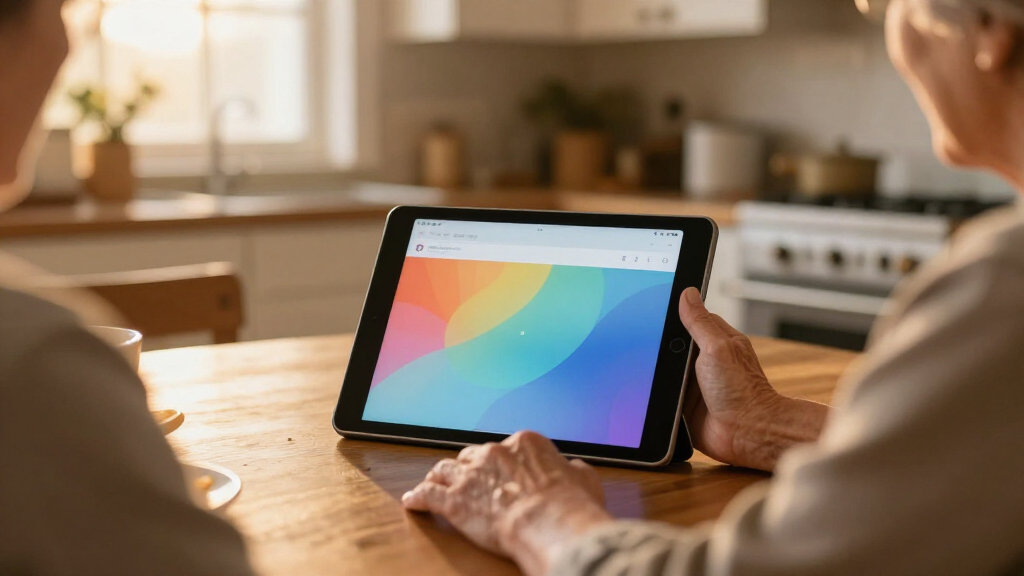

Finding an easy-to-use tablet for seniors can be a challenge, especially with so many options that vary in complexity and price. The Pix Star Touch stands out for its simplified interface and large screen, making it ideal for those who want straightforward operation. The GrandPad offers a curated experience designed specifically for seniors, with built-in support. Meanwhile, the Amazon Fire HD 8 provides a budget-friendly option that balances ease of use with access to a wide range of apps. Keep reading for a detailed comparison to help you choose the best fit for your needs, weighing factors like usability, features, and value.

Turn quiet afternoons into listening time
- Thousands of audiobooks, podcasts and originals
- Listen on your phone, tablet or Echo — also offline
- Cancel anytime
Complete the kit


Key Takeaways
- The top-ranked tablets combine large, clear screens with simplified interfaces to enhance usability for seniors.
- Price varies widely, but budget options like the Fire HD 8 deliver solid performance for less, while premium models offer more features and support.
- Expandable storage and long battery life remain important for users who want a device that lasts and grows with their needs.
- Built-in support and curated interfaces, like amazon.com/dp/B09S6THZJ1?tag=agevibrant-20&ascsubtag=dc-351349″ target=”_blank” rel=”nofollow sponsored noopener”>GrandPad, significantly ease the learning curve for seniors new to tablets.
- Tradeoffs often involve balancing simplicity against features—more advanced options may require some tech familiarity.


| easy-to-use tablets for senior | Display | Storage | Processor | Battery Life |
|---|---|---|---|---|
| Pix Star Touch Easy-to-Use Tab | — | — | — | — |
| Lenovo Tab One | 8.7 inches HD | 64 GB | MediaTek Helio G85 | up to 12.5 hours |
| GrandPad Easy-to-Use Tablet & | — | — | — | — |
| ECOPAD 10.1 Inch Android 15 Ta | 10.1 inch IPS 1280×800 | 64GB | Quad-core | — |
| DigiLand 10.1-Inch Android Tab | 10.1-inch HD IPS (1280×800) | 128 GB | MediaTek MT8786, 2.0 GHz (8-core) | 12 hours |
| Amazon Fire HD 8 Tablet | 8-inch HD touchscreen (1280 x 800) | 64GB, expandable up to 1TB | Hexa-core 2.0 GHz | Up to 13 hours |
More Details on Our Top Picks
Pix Star Touch Easy-to-Use Tablet for Seniors, 10.1-Inch Screen, WiFi, 2 Cameras
The Pix Star Touch Tablet stands out for its exceptionally simple interface tailored specifically for seniors and beginners, making common tasks like email, web browsing, and video calls straightforward. Compared with the GrandPad, it offers more flexibility with app installation via Google Play, but this also means it requires a bit more setup and familiarity with Android. Its 10.1-inch screen provides comfortable viewing, and the dual cameras support easy photo sharing and video chats. However, with only 32 GB of storage, heavy media use might quickly fill up, and the device’s battery life remains unmentioned, which could be a concern for all-day use. Despite these tradeoffs, this tablet is ideal for seniors who want simplicity without sacrificing functionality, especially those comfortable with basic Android features.
Pros:- User-friendly interface designed specifically for seniors and beginners
- Supports a wide range of apps via Google Play Store
- Dual cameras for photos and video calls
- Easy access to email, social media, and web browsing
Cons:- Limited storage capacity for large media libraries
- Unclear battery life and charging details
Best for: Seniors or beginners seeking a straightforward, customizable tablet for staying connected.
Not ideal for: Power users or media-heavy users who require extensive storage and long battery life without frequent charging.
- Screen Size:10.1 inches
- Storage Capacity:32 GB
- Connectivity:WiFi
- Cameras:Front and back
- Ports:USB-C
- Operating System:Android
Our verdict“This tablet is perfect for seniors who want an easy-to-use device with flexible app options but are okay with limited storage.”
Lenovo Tab One – 8.7″ HD Display, 4GB RAM, 64GB Storage, MediaTek Helio G85, Includes Folio Case
The Lenovo Tab One makes a compelling choice for those who want a lightweight, portable tablet with vibrant visuals and long battery life, making it better suited for entertainment on the go than the larger Pix Star. Its 8.7-inch HD display offers sharp visuals, and with up to 12.5 hours of battery life, it supports all-day use without frequent recharging. The included folio case with stand adds convenience for hands-free viewing, but its 64 GB storage may be limiting for media-heavy users, especially compared to the 128 GB option of the DigiLand. The MediaTek Helio G85 processor provides smooth performance for everyday tasks, but it may struggle with intensive gaming or multitasking. This pick makes the most sense for seniors who prioritize portability, multimedia consumption, and a modern design.
Pros:- Compact, lightweight design ideal for portability
- Long-lasting battery for all-day use
- Vibrant HD display with immersive sound
- Includes protective folio case with stand
Cons:- Limited internal storage for heavy media use
- No mention of cellular connectivity (4G/LTE)
Best for: Active seniors who want a lightweight device for entertainment, video calls, and casual browsing.
Not ideal for: Power users needing extensive storage or high-performance gaming capabilities.
- Display:8.7 inches HD
- Battery Life:up to 12.5 hours
- Memory:4 GB RAM
- Storage:64 GB
- Processor:MediaTek Helio G85
- Operating System:Android 14
Our verdict“Best for seniors seeking a portable, visually engaging tablet primarily for entertainment and casual use.”
GrandPad Easy-to-Use Tablet & Phone for Seniors
The GrandPad excels at providing a secure, simplified experience tailored explicitly for seniors who prioritize safety and ease of use, especially compared to more versatile but complex devices like the Pix Star. Its large icons and simplified navigation minimize confusion, and the dedicated network protects against scams and spam, offering peace of mind. While it supports essential features like video calling, photo sharing, and games, it relies on subscription plans, which might be a barrier for some users. Its limited functionality without a plan makes it less flexible than Android-based tablets, but for those who want a device that works seamlessly out of the box with minimal setup, this is an excellent choice.
Pros:- Designed specifically with seniors in mind, with large icons
- Secure network protects against scams and spam
- Supports family sharing and easy video calls
- Simplified interface minimizes confusion
Cons:- Limited features without a paid plan
- Not compatible with all wireless carriers
- Requires activation and subscription for full functionality
Best for: Seniors who need a secure, straightforward device for staying connected without technical complexity.
Not ideal for: Tech-savvy users or those wanting extensive app choices without ongoing subscription costs.
- Compatibility:Locked to specific plans
- Connectivity:WiFi
- Features:Video calling, family sharing
- Protection:Scam and spam protection
- Subscription:Required
Our verdict“Ideal for seniors who want a safe, simple device for staying connected without dealing with technical complexity or extensive features.”
ECOPAD 10.1 Inch Android 15 Tablet, 12GB RAM, 64GB Storage, 1TB Expandable, IPS HD Touchscreen, 6000mAh Battery, Bluetooth 5.0, Dual Cameras, Black
The ECOPAD 10.1-inch Android 15 appeals to seniors who want a high-performance device capable of multitasking, media editing, or gaming. Its 12GB RAM and up to 1TB expandable storage make it ideal for users with large media libraries or those who prefer not to worry about storage limits. The 1280×800 IPS HD touchscreen provides clear visuals, and dual cameras support video calls and photos, similar to the Pix Star but with more processing power. However, its processor details are limited, and its large size may be less portable than the Lenovo Tab One. This device is best for seniors who need a powerful tablet for diverse activities and are comfortable with a more complex device setup.
Pros:- Large 10.1-inch IPS HD touchscreen for sharp visuals
- Massive 12GB RAM and expandable storage for heavy use
- Long battery life with 6000mAh capacity
- Dual cameras for photos and video calls
Cons:- Limited processor specifics; may not handle intensive tasks smoothly
- No fast charging info; SD card sold separately
Best for: Seniors who want a versatile, high-performance tablet for multimedia, gaming, and multitasking.
Not ideal for: Those seeking a simple, lightweight device with minimal setup or basic features.
- Display:10.1 inch IPS 1280×800
- Processor:Quad-core
- RAM:12GB
- Storage:64GB
- Expandable Storage:Up to 1TB
- Battery:6000mAh
Our verdict“Best suited for tech-savvy seniors who want a powerful, flexible tablet for multimedia and multitasking.”
DigiLand 10.1-Inch Android Tablet with HD Touch Screen, 12GB RAM, 128GB Storage, 8MP Front & 13MP Rear Cameras, 12-Hour Battery, Metal Body, Blue
The DigiLand 10.1-inch Android tablet stands out for its large, vibrant HD display and substantial storage, making it a great choice for seniors who want a device that can handle browsing, reading, streaming, and light gaming without lag. Its 12GB RAM and 128GB storage provide smooth multitasking and plenty of space for apps and media, surpassing smaller or less powerful models like the Fire HD 8. However, its lack of cellular connectivity and GPS might limit outdoor use or navigation needs. Compared with other tablets, this model’s robust hardware makes it a flexible choice, though it comes with a slightly higher price tag and weighs a bit more. Tradeoffs include limited mobility features and Android’s complexity for some users, but those looking for a comprehensive device will find this ideal.
Pros:- Large, sharp HD display perfect for streaming and reading
- High RAM and storage for smooth multitasking and media storage
- Long-lasting 12-hour battery life ensures all-day use
- Lightweight and slim for portability
Cons:- No GPS or cellular connection limits outdoor navigation and mobility
- Android system may be complex for first-time tablet users
Best for: Seniors who want a powerful, all-in-one tablet for entertainment, communication, and reading, and are comfortable with Android.
Not ideal for: Seniors seeking a lightweight, simple device with cellular service or GPS for outdoor activities.
- Display:10.1-inch HD IPS (1280×800)
- RAM:12 GB
- Storage:128 GB
- Processor:MediaTek MT8786, 2.0 GHz (8-core)
- Camera:8 MP front, 13 MP rear
- Battery Life:12 hours
Our verdict“This tablet is best suited for tech-savvy seniors who want a versatile, high-performance device for various activities without the need for cellular features.”
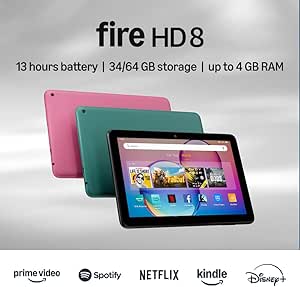
Amazon Fire HD 8 Tablet (Newest Model), 8” HD Display, 4GB RAM, 64GB Storage, Black
The Fire HD 8 offers an accessible, straightforward experience with its intuitive interface and compact 8-inch HD display, making it well-suited for seniors who primarily want to stream videos, browse, or use voice commands via Alexa. Its 4GB RAM and 64GB storage are sufficient for casual use, though it doesn’t match the raw power of the DigiLand’s hardware. Unlike the DigiLand, the Fire HD 8 is more limited in multitasking due to less RAM, but it compensates with a simplified user interface designed for ease of access. While it does not support Google Play Store, its seamless integration with Amazon services makes app access straightforward for most users, though some may find the app selection restrictive. Tradeoffs involve fewer features for simplicity, making it ideal for users prioritizing ease and affordability over performance.
Pros:- Compact size makes it easy to hold and carry
- Long battery life up to 13 hours supports all-day entertainment
- Expandable storage up to 1TB for more media
- Simple, intuitive interface with Alexa voice assistant
Cons:- Limited app options due to lack of Google Play Store support
- Less RAM can hinder multitasking with multiple apps open
- Wi-Fi 6 not supported, potentially limiting future connectivity
Best for: Seniors who mainly want a simple, lightweight device for streaming, video calls, and basic browsing with minimal setup.
Not ideal for: Tech-savvy seniors or those needing extensive multitasking, expandable storage, or GPS features.
- Display:8-inch HD touchscreen (1280 x 800)
- Processor:Hexa-core 2.0 GHz
- RAM:4GB
- Storage:64GB, expandable up to 1TB
- Camera:2 MP front, 5 MP rear
- Battery Life:Up to 13 hours
Our verdict“This tablet is best for seniors seeking a straightforward, affordable device primarily for streaming and casual use, and who value simplicity over power.”
How We Picked
To compile this list, I focused on factors that matter most to seniors and their caregivers. Ease of use was the primary criterion, including intuitive interfaces, large displays, and minimal setup. Performance and stability, such as battery life and responsiveness, were also evaluated because they impact daily use. Build quality and durability are crucial, especially for users with limited dexterity. Value was considered through price and included features, while support options like customer service and curated interfaces helped determine which tablets reduce the learning curve. These criteria led to a ranking that balances simplicity, performance, and affordability for different senior user profiles.| easy-to-use tablets for senior | Processor |
|---|---|
| Pix Star Touch Easy-to-Use Tab | — |
| Lenovo Tab One | MediaTek Helio G85 |
| GrandPad Easy-to-Use Tablet & | — |
| ECOPAD 10.1 Inch Android 15 Ta | Quad-core |
| DigiLand 10.1-Inch Android Tab | MediaTek MT8786, 2.0 GHz (8-core) |
| Amazon Fire HD 8 Tablet | Hexa-core 2.0 GHz |
Factors to Consider When Choosing Easy-to-use Tablets For Seniors
Choosing the right tablet for a senior involves more than just screen size or price. It’s important to consider how intuitive the device is, what kind of support is available, and whether the features match the user’s comfort level with technology. Below are key factors to keep in mind to make a smart purchase that enhances connectivity and independence without adding frustration.Ease of Use and Interface
The primary goal is to find a tablet with a straightforward, clutter-free interface. Devices with simplified menus, large icons, and dedicated support apps reduce the learning curve. Curated experiences like GrandPad are designed specifically for seniors, removing unnecessary complexity. Avoid models with overwhelming settings or complicated navigation, as they can discourage regular use and frustrate less tech-savvy users.
Screen Size and Display Quality
Large screens with high contrast and clear text help seniors see content easily and reduce eye strain. An 8-10 inch display hits a sweet spot between portability and readability. Consider models with IPS screens for better viewing angles, especially if the device will be shared or used from different positions. Remember, smaller screens may be more portable but can be harder to read, so prioritize clarity over compactness for seniors with visual challenges.
Battery Life and Durability
Long-lasting batteries ensure the tablet remains functional throughout the day without frequent charging. Look for devices with at least 8-12 hours of battery life for convenience. Durability matters too—devices with sturdy builds or shock-resistant features can withstand accidental drops or rough handling, which is common among seniors. This reduces frustration and the need for repairs or replacements.
Support and Updates
Reliable customer support and regular software updates extend the device’s lifespan and usability. Tablets like GrandPad offer dedicated support tailored for seniors, which can be invaluable for troubleshooting. Check whether the manufacturer provides easy access to help, tutorials, or community forums. Devices with active update policies also stay secure and compatible with new apps, an important factor for long-term use.
Price and Value
While budget options like the Fire HD 8 provide great value, investing a bit more can yield significant benefits in ease of use and support. Consider what features are essential—such as larger screens, better cameras, or expanded storage—and weigh these against the cost. Sometimes, paying a little extra upfront results in a device that’s more intuitive and better supported, ultimately saving time and frustration.
Frequently Asked Questions
How do I know if a tablet is truly easy for a senior to use?
Look for tablets with simplified interfaces, large icons, and minimal setup requirements. Devices designed specifically for seniors, like GrandPad, often come with curated menus and dedicated support, reducing the learning curve. Reading reviews or watching demo videos can also reveal how intuitive the device feels in real-world use, helping you determine if it’s suitable for someone with limited tech experience.
Can seniors customize these tablets to make them easier to use?
Yes, many tablets allow customization such as increasing font size, enabling simplified modes, or adding shortcut icons for frequently used apps. Android and Amazon Fire devices often have accessibility settings that can be adjusted to enhance visibility and touch response. However, the ease of customizing varies; some devices like GrandPad are designed to be ready-to-use out of the box, with minimal adjustments needed.
Are budget tablets suitable for seniors with visual impairments?
Budget tablets like the Fire HD 8 can work well if accessibility features are enabled, such as larger font sizes and screen magnification. However, higher-end models with better display quality and more responsive touchscreens may provide a more comfortable experience. It’s also worth considering devices with high-resolution screens and adjustable contrast settings, which can make a significant difference for users with visual challenges.
How important is customer support when choosing a senior-friendly tablet?
Support becomes critical, especially if the senior user is unfamiliar with technology. Devices like GrandPad offer dedicated customer service tailored for seniors, which can help resolve issues quickly and reduce frustration. Reliable support options can make the difference between a device that’s a helpful tool and one that becomes a source of stress, so prioritizing brands with good customer service often pays off in the long run.
Should I prioritize a tablet with built-in features like voice commands?
Voice commands and virtual assistants such as Amazon Alexa or Google Assistant can greatly enhance usability for seniors, allowing them to operate the device hands-free. If ease of use is a priority, selecting a tablet with strong voice support can help perform tasks like making calls, setting reminders, or controlling smart home devices more naturally. Just ensure the device’s voice recognition is reliable and easy to activate, as this can be a real help for users with limited dexterity.
Conclusion
For those seeking the best overall experience, the Pix Star Touch offers a large, simple interface ideal for most seniors. If budget is a concern, the Amazon Fire HD 8 delivers great value with customizable features and decent ease of use. For caregivers or seniors who want a device with dedicated support and a curated interface, GrandPad stands out despite its higher price. Beginners or those unfamiliar with technology should lean toward models like the Fire HD 8 or Pix Star, while tech-savvy seniors may appreciate the customizable options of the ECOPAD or Coopers tablets. Ultimately, choosing the right tablet depends on individual needs, visual comfort, and support preferences—this guide helps you match those factors to the best option for your situation.
Halloween Picks

Spirit Halloween 54-Inch Sitting Scarecrow Animatronic

27FT Giant Inflatable Pumpkin Lighted Outdoor Halloween Decor

Halloween Pumpkin Fog Machine with 12-Color LEDs, Bluetooth Speaker, and Remote
As an affiliate, we earn on qualifying purchases.