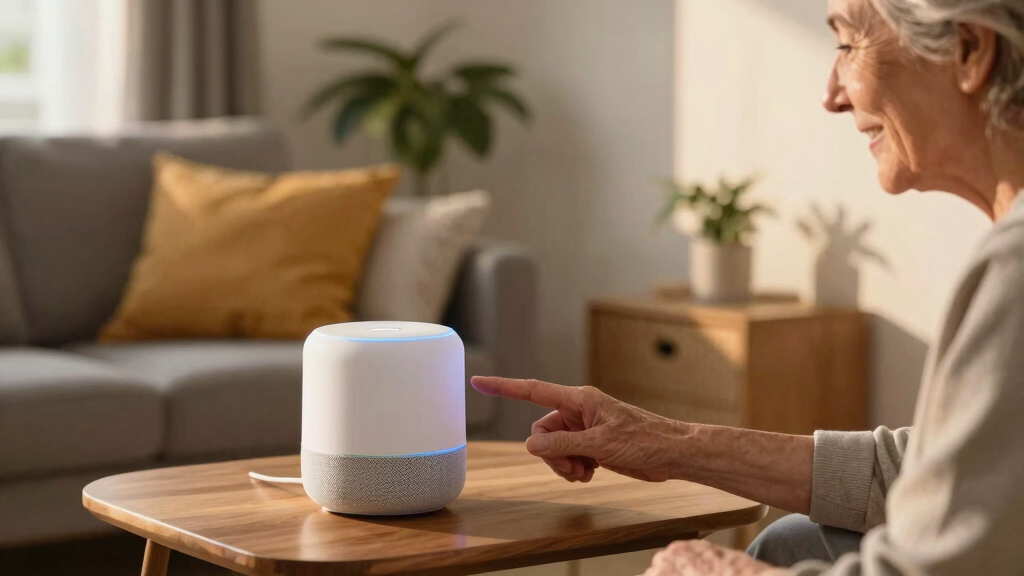

Finding the right smart home devices for seniors involves balancing ease of use, safety features, and affordability. The JubileeTV Remote Care System stands out as the best overall for its simple interface and ability to control TV and communication remotely. The NOMO Smart Care Medical Alert System offers advanced fall detection and emergency support, making it ideal for safety-focused needs. However, many options trade off complexity for features or vice versa. Continue reading for a detailed comparison that highlights the strengths and tradeoffs of each device to help you choose the best fit.

Turn quiet afternoons into listening time
- Thousands of audiobooks, podcasts and originals
- Listen on your phone, tablet or Echo — also offline
- Cancel anytime
Key Takeaways
- Ease of setup and intuitive controls are essential for senior-friendly devices to ensure consistent use.
- Combining safety features like fall detection with communication tools creates versatile support systems.
- Large displays and clear alerts significantly improve usability for those with vision or cognitive challenges.
- Affordable options often lack advanced monitoring, so consider what level of safety is necessary.
- Devices that integrate with existing technology, like TVs or smartphones, can reduce the learning curve.


More Details on Our Top Picks
JubileeTV Remote Care System for Seniors — Stay Connected Through Their TV | Control TV Remotely from Your Phone | Video Calls, Reminders & Monitoring | Simple Setup + Voice Remote
This system stands out for integrating remote TV control with easy-to-use features that keep seniors connected and monitored. Compared with simpler options like the SSYA Digital Calendar, JubileeTV offers direct communication through video calls and activity alerts, making it ideal for caregivers wanting ongoing oversight. The large, backlit buttons and voice remote facilitate ease of use, even for those with cognitive decline. However, the subscription model can be a hurdle for some, and it relies on existing TV setups, which might limit compatibility for older models. The system’s security measures and flexible plans make it a comprehensive choice for families seeking both communication and monitoring in one package.
Pros:- Seamless remote control of TV via smartphone or voice commands
- Built-in video calling with auto-answer and room view
- Smart monitoring and activity alerts provide routine insights
- Secure access with privacy controls
Cons:- Requires a stable internet connection and compatible TV setup
- Subscription plans can be costly over time
- Limited to U.S. only
Best for: Caregivers wanting a comprehensive, senior-friendly device that combines entertainment, communication, and routine monitoring.
Not ideal for: Seniors with limited internet access or those who prefer standalone devices without ongoing subscription costs.
- Control Type:Remote via phone app and voice remote
- Video Calling:Yes, auto-answer feature
- Monitoring Features:Activity, room entry, and usage alerts
- Subscription Plan:$29/month or $289/year
- Compatibility:Works with existing cable/streaming TV setup
- Privacy:End-to-end encryption, invite-only access
Bottom line: This pick is best for families seeking an all-in-one device that enhances seniors’ independence and connectivity.
SSYA Digital Calendar Alarm Clock – Dementia Clocks for Seniors, Non-Abbreviated Memory Loss Clock with Date and Time for Elderly (White)
This clock excels in providing a large, easy-to-read display with clear time and date, making it ideal for seniors with memory issues. Unlike the JubileeTV system, it does not offer communication or monitoring features, focusing solely on visual clarity. Its auto-dimming function and multiple alarm modes help reinforce daily routines without overwhelming seniors, although it lacks connectivity or alert functions for caregivers. The support for 8 languages broadens its usability for diverse households. Its plug-and-play setup and brightness control make it a straightforward solution for those needing simple time management tools without ongoing costs.
Pros:- Large, clear display with no confusing abbreviations
- Auto night dimming and multiple brightness levels
- Supports 8 languages and various time formats
- Simple plug-and-play setup
Cons:- Limited to visual display, no interactive features
- Requires continuous power source, no battery backup
- No connectivity for remote updates or alerts
Best for: Seniors with memory loss who need a reliable, easy-to-read clock without digital distractions or internet dependency.
Not ideal for: Families seeking a device that also offers communication, activity monitoring, or reminders beyond displaying time and date.
- Display Type:Digital 7-inch HD LCD
- Auto Dimming:Yes, 5 brightness levels
- Alarm Modes:12 modes including meal and medication reminders
- Language Support:8 languages
- Power:AC adapter (included)
- Mounting:Wall mount or tabletop
Bottom line: This clock is perfect for seniors needing a straightforward, highly visible timepiece to support daily orientation.
NOMO Smart Care Medical Alert System, Fall Detection for Seniors, WiFi in Home Monitoring Safety System, Emergency Call Button, Custom Fall Alert, Virtual Caregiver, 60-Day Trial, Monthly Subscription
This system makes a compelling case for those prioritizing safety with fall detection and emergency alerts, especially since it operates over WiFi without landline dependency. It offers two-way voice communication through the hub, which is more discreet than traditional landline systems like the Relish Day Hub, and includes customizable fall alerts with adjustable sensitivity. Compared to the JubileeTV system, NOMO provides immediate emergency response and caregiver notifications but lacks entertainment or routine management features. Its quick setup and comprehensive monitoring make it suitable for families wanting reliable safety coverage, though the monthly fee after the trial can be a downside for budget-conscious users. The privacy-focused, camera-free design is a plus for those wary of surveillance.
Pros:- Reliable fall detection with adjustable sensitivity
- Two-way voice communication for instant help
- WiFi-based, no landline needed
- Includes customizable emergency alerts
Cons:- Subscription fee after the free trial
- Limited activity and routine monitoring features
- Requires stable WiFi connection
Best for: Families seeking a modern, easy-to-install safety system with fall detection and emergency communication.
Not ideal for: Seniors who do not require fall alerts or who prefer devices without ongoing subscription fees.
- Connectivity:WiFi with battery backup
- Fall Detection:Yes, customizable sensitivity
- Two-way Talk:Yes
- Monitoring Service:60-day free trial, $19.99/month thereafter
- Setup:Wireless, plug-and-play
- Device Dimensions:10.6 x 4.75 x 7.1 inches
Bottom line: Ideal for safety-focused households that want a non-intrusive, fall-detection system with emergency response capabilities.
Relish Day Hub – Dementia Clock with Daily Task Manager, HD Large Screen Digital Calendar Clock for Seniors and People with Memory Loss
This device is tailored for seniors who need structured daily routines, with large, easy-to-read display and tactile task management. Unlike the JubileeTV or NOMO systems, the Relish Day Hub focuses on helping users maintain independence through manual task marking and gentle audio cues, rather than communication or emergency alerts. Its simplicity and clear visual cues make it ideal for early-stage dementia but less suitable for those needing real-time monitoring or communication features. The device’s limited scope means it doesn’t replace comprehensive safety or connectivity tools but excels as a routine aid for individuals with memory challenges. Its straightforward setup and non-smart home design make it accessible for users averse to complicated technology.
Pros:- Large, high-contrast display with clear time and date
- Supports multiple languages for diverse users
- Simple task marking with tactile buttons
- Automatic time and DST adjustment
Cons:- Limited to routine management, no communication or alerts
- No smart home integration or remote monitoring
- Requires manual input for tasks
Best for: Seniors with mild memory issues who benefit from visual routines and manual task tracking.
Not ideal for: Users requiring emergency alerts, fall detection, or remote caregiver notifications.
- Display:HD large screen, 7.2 inches
- Languages:Multiple including English, Spanish, German
- Alarm & Reminders:8 customizable reminders
- Power:Corded with battery backup
- Size:9.7 x 7.2 inches
- Connectivity:No smart home compatibility
Bottom line: This clock is best for those needing a visual, tactile aid to support daily routines without added complexity.
DreamSky Digital Clock with Date and Day of Week – Large Calendar Clock for Seniors Elderly, Loud Alarm Clock for Bedroom Desk, Backlight Dimmer, Adjustable Volume, USB Port, Auto DST, Battery Backup
This clock offers a versatile solution for seniors needing multiple alarms, adjustable volume, and a large, easy-to-read display. Unlike the JubileeTV or NOMO systems, it doesn’t provide communication or fall detection but excels in managing daily schedules with up to six alarms and reminders for meals or medication. Its auto-dimming feature and USB charging add to its convenience, while the loud alarm and adjustable snooze support those with hearing impairments or sleep issues. However, it lacks connectivity features that enable remote caregiver oversight, making it less suitable for those requiring ongoing supervision. The simple interface and battery backup ensure reliable operation during power outages, making it a practical bedside companion.
Pros:- Supports 6 alarms with adjustable snooze options
- Large, high-contrast display with clear day and date
- Auto DST and backlight dimmer for comfort
- USB port for device charging
Cons:- No connectivity or caregiver alert features
- Limited to alarm and routine reminders, no emergency alerts
- Requires power source, no standalone battery operation
Best for: Seniors needing a reliable, multi-alarm clock to support daily routines and medication schedules.
Not ideal for: Families wanting integrated communication, activity monitoring, or fall detection in one device.
- Display Size:7.6 inches
- Alarms:Up to 6 with adjustable snooze
- Brightness:4-level auto-dim
- Alarm Volume:Adjustable
- Power:Adapter with battery backup
- Additional Ports:USB charging port
Bottom line: This clock is ideal for seniors who want a dependable, multi-alarms device to keep daily routines on track without smart features.
Digital Alarm Clock with Date and Day of Week for Dementia Seniors, Voice Announcement Time, Multiple Alarm Sets, Auto DST, Gifts for Elderly People with Dementia – Black
This digital alarm clock stands out for its large, 7-inch display that clearly shows the full date and day of the week in bold letters, making it highly accessible for seniors with poor vision. Unlike the NOMO Smart Care Medical Alert System, which offers fall detection and emergency features, this clock focuses solely on clarity and ease of understanding, which can be more beneficial for those primarily needing time and schedule reminders. Its voice announcement function, supporting 9 languages, adds a helpful layer for users with weak eyesight or cognitive impairments. The automatic dimming feature makes it comfortable to view at night without disrupting sleep — a key advantage over more complex tech like the Relish Day Hub. However, its simplicity may be limiting for those who want more integrated health monitoring or emergency features. The intuitive one-click setup makes it easy for seniors or caregivers to install without frustration, but the limited feature set means it’s best suited for straightforward scheduling needs rather than comprehensive safety.
Pros:- Large, easy-to-read 7-inch display with bold font
- Voice announcement supporting 9 languages for better accessibility
- Auto dimming for eye comfort during night hours
- Simple, one-click setup suitable for seniors
Cons:- Limited to basic time, date, and alarm functions—no health or emergency monitoring
- No connectivity features for remote control or caregiver alerts
- Lacks customization options beyond setting alarms and reminders
Best for: Elderly individuals with dementia or memory loss who need a clear display and simple reminders.
Not ideal for: Caregivers seeking a multi-functional device with fall detection, emergency alerts, or remote monitoring.
- Display Size:7 inches
- Display Brightness:50 to 250 cd/m²
- Voice Support:9 languages
- Automatic Dimming:Yes, from 7:00 pm to 7:00 am
- Alarm Settings:Multiple alarms
- Ease of Use:Intuitive interface with one-click setup
Bottom line: This clock makes the most sense for seniors who primarily need a clear, easy-to-read schedule aid without extra features.
How We Picked
To select the best senior-friendly smart home devices, I focused on factors that directly impact ease of use, safety, and value. Performance was evaluated based on simplicity of setup, clarity of alerts, and reliability of features like fall detection or reminders. Usability considerations included display size, voice control options, and intuitive interfaces, which are vital for seniors with varying levels of tech familiarity. Build quality and ongoing maintenance were also considered, along with overall value for the price. Devices were ranked by how well they balance these aspects and serve the common needs of seniors seeking independence and safety at home.Factors to Consider When Choosing Senior-friendly Smart Home Devices
Choosing the right senior-friendly smart home device requires understanding your specific needs, existing home setup, and comfort with technology. Key factors include ease of use, safety features, and compatibility with other devices. It’s important to avoid overly complex systems that may frustrate users or miss key safety alerts. Budget considerations also play a role—more advanced monitoring typically costs more but offers greater peace of mind. The following sections outline the main considerations to help you make an informed decision.Ease of Use and Setup
For seniors, simplicity is paramount. Devices with straightforward installation and intuitive interfaces reduce frustration and increase regular use. Touchscreens should feature large, high-contrast displays, while voice control can be a game-changer for those with limited dexterity. Avoid devices requiring complex configurations or frequent maintenance, as these can become barriers over time. When evaluating options, consider whether someone can assist with initial setup and ongoing troubleshooting.
Safety and Emergency Features
Safety features like fall detection, emergency call buttons, and automatic alerts are critical for high-risk seniors. These features should be reliable, easy to activate, and integrated into a system that provides immediate assistance. Devices that can automatically notify caregivers or emergency services tend to offer better peace of mind. However, more advanced safety systems often come with higher costs and subscription fees, so weigh the potential benefits against your budget and specific safety concerns.
Display and Alert Clarity
Large, bright displays and clear audio alerts help seniors with visual or hearing impairments. Devices that use visual cues combined with sound notifications tend to be more effective. Auto-dimming screens or adjustable volume controls also support varied needs. Avoid products with small fonts or confusing alert systems, which can lead to missed notifications or misunderstandings. Prioritize devices that clearly communicate the intended message without requiring complex interpretation.
Compatibility and Integration
Many seniors benefit from devices that work seamlessly with existing technology, like smartphones, smart TVs, or home assistants. Compatibility reduces the learning curve and allows for centralized control. However, integration can sometimes involve additional setup or subscription costs. Consider whether the device can operate independently or if it requires a connected ecosystem, and choose accordingly to match your comfort level and budget.
Cost and Ongoing Expenses
Initial purchase price is only part of the total cost. Many safety and monitoring devices have subscription fees for cellular service, cloud data, or premium features. Balance the upfront cost with ongoing expenses to determine overall value. Cheaper devices may lack critical safety features, so assess whether spending more upfront provides better long-term peace of mind. Avoid devices that appear inexpensive but require costly recurring fees for essential functions.
Frequently Asked Questions
Can these devices be used by seniors with limited tech experience?
Many of these devices are designed with simplicity in mind, featuring large buttons, clear displays, and straightforward controls. Devices like the JubileeTV Remote Care System or the Relish Day Hub are especially user-friendly, making them suitable for seniors with limited tech skills. However, some systems may require initial assistance for setup or understanding features. Selecting devices with dedicated customer support and simple interfaces can greatly improve the experience for less tech-savvy users.
Are these devices compatible with existing smart home systems?
Most of the devices in this list operate independently or are designed specifically for senior use, meaning compatibility with broader smart home ecosystems varies. For example, some safety systems may integrate with voice assistants like Alexa or Google Assistant, while others are standalone units. Before purchasing, verify compatibility if you already have smart home devices, to ensure seamless operation and centralized control. Compatibility can also influence future upgrades and system expansion.
What is the typical lifespan of these devices, and what maintenance is required?
Most senior-friendly devices are built to last several years with minimal maintenance, typically around 3-5 years depending on usage and quality. Regular cleaning, software updates, and battery replacements are common upkeep tasks. Devices with rechargeable batteries or those that rely on Wi-Fi may require periodic checks to ensure connectivity and power. Investing in devices with good build quality and manufacturer support can extend their lifespan and reduce long-term costs.
Do these devices require monthly subscriptions or ongoing fees?
Many safety and monitoring devices, especially those with fall detection or emergency response features, do come with optional or required subscriptions. These fees cover cellular connectivity, cloud storage, or enhanced monitoring. However, some simpler devices, like digital clocks or basic remote controls, have no ongoing costs. It’s important to factor these recurring expenses into your budget and determine whether the added safety features justify the monthly fees.
How do I choose the right device for someone with cognitive decline?
For seniors with cognitive challenges, simplicity and redundancy are key. Devices with large displays, minimal controls, and clear, repetitive alerts tend to be more effective. Features like visual reminders, automatic alerts, and one-touch emergency buttons can help compensate for memory issues. Avoid overly complex systems that require multi-step processes. Consulting with healthcare providers or specialists can also help identify the most suitable tools tailored to specific cognitive needs.
Conclusion
For those seeking the best overall balance of safety, ease of use, and value, the JubileeTV Remote Care System offers a versatile solution suitable for most seniors. Families prioritizing advanced safety features like fall detection and emergency support should consider the NOMO Smart Care Medical Alert System. Budget-conscious buyers or those new to smart devices will find simple digital clocks like the DreamSky or Digital Alarm Clock with Day of Week to be practical choices. For users with specific cognitive needs, products with large visual displays and task management features, such as the Relish Day Hub, provide targeted assistance. Ultimately, matching the device to the senior’s lifestyle and safety priorities will lead to the best long-term benefits.Fall Picks
fall essentials
As an affiliate, we earn on qualifying purchases.