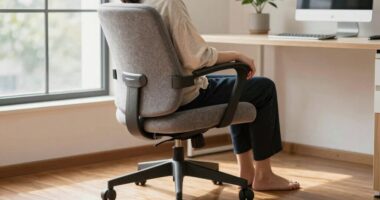
Using a standing desk combined with regular movement breaks helps you stay active, reduce health issues like back pain and circulation problems, and boost focus during work hours. Switching between sitting and standing keeps your energy levels steady and prevents stiffness. Incorporating short breaks to walk or stretch can further enhance your comfort and productivity. Keep exploring these strategies to discover how they can best fit your work routine and improve your overall well-being.
Key Takeaways
- Alternating between sitting and standing at a desk reduces back strain and promotes better posture.
- Incorporate regular movement breaks to improve circulation and decrease muscle stiffness.
- Adjustable standing desks support ergonomic positioning, enhancing comfort and productivity.
- Short activity breaks boost mental focus and help prevent fatigue during prolonged work periods.
- Combining ergonomic workspace setup with movement encourages a healthier, more active work routine.
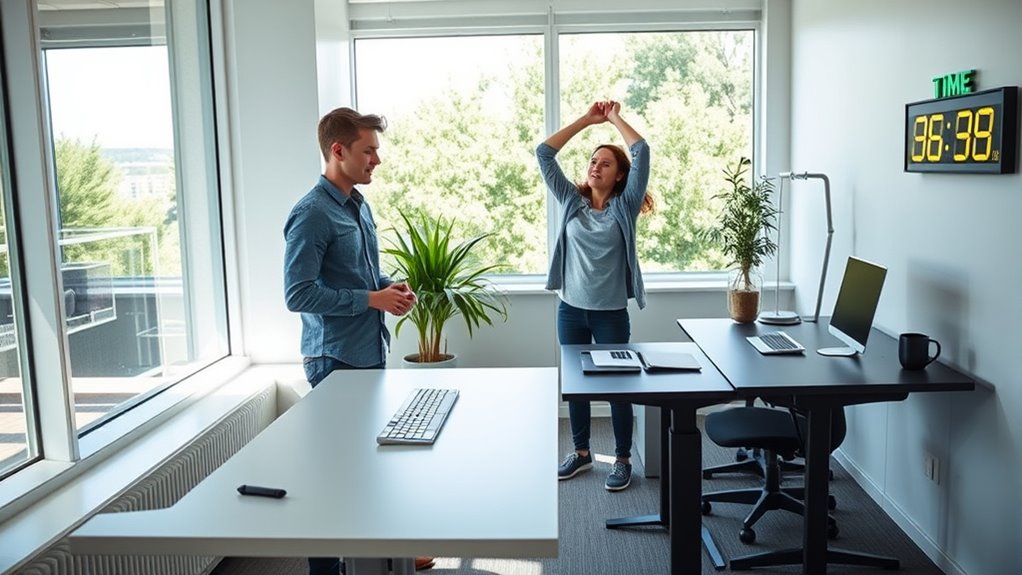
Many people spend hours sitting at desks, which can lead to health issues like back pain, poor posture, and decreased energy. To combat this, incorporating standing desks and movement breaks into your routine offers considerable ergonomic benefits. Standing desks encourage you to switch between sitting and standing throughout the day, reducing strain on your spine and promoting better alignment. This not only helps prevent chronic discomfort but also enhances your overall comfort during work hours. Additionally, standing can improve circulation, decreasing the risk of stiffness and fatigue, so you stay more alert and engaged.
Beyond physical health, using a standing desk can also boost your productivity. When you’re able to change your position and break the monotony of sitting, you often find it easier to concentrate and stay focused on tasks. The ergonomic benefits of adjustable desks mean you can customize your workspace to fit your body’s needs, which minimizes distractions caused by discomfort. As a result, you can work more efficiently, completing tasks quicker and with less mental fatigue. Moving between sitting and standing also helps to keep your mind fresh, preventing the sluggishness that often accompanies prolonged sitting.
Incorporating movement breaks into your day is equally essential. Instead of remaining seated for hours, taking short, regular breaks to stretch or walk around can greatly improve your physical and mental well-being. These breaks help to alleviate muscle tension, improve circulation, and re-energize your mind. When you stand up and move, you stimulate blood flow, which can enhance oxygen delivery to your brain and muscles. This increased circulation contributes to better focus, sharper thinking, and a more positive mood. Furthermore, movement breaks can prevent the stiffness and soreness associated with long periods of inactivity, making your workday more comfortable and sustainable. Proper ergonomics can further enhance these benefits by ensuring your workspace supports healthy movement and posture.

ErGear 48 X 24 Inch Height Adjustable Electric Standing Desk, Black
- Electric Height Adjustable Standing Desk for Comfortable Work…
- Powerful Motor with Memory Presets – Equipped with…
- Exceptional Stability Steel Frame – Built with a…
As an affiliate, we earn on qualifying purchases.
As an affiliate, we earn on qualifying purchases.
Frequently Asked Questions
How Do Standing Desks Impact Long-Term Posture?
Standing desks can positively impact your long-term posture by encouraging ergonomic adjustments that promote better alignment. When you use a standing desk correctly, it helps with posture correction and reduces strain on your neck, back, and shoulders. You should incorporate movement breaks and adjust your desk height regularly to maximize these benefits. Over time, this active approach helps you maintain healthier posture habits and reduces the risk of discomfort or injury.
What Are the Best Stretches During Movement Breaks?
During movement breaks, you should focus on ergonomic stretches like neck rolls, shoulder shrugs, and spinal twists to release tension and improve posture. Incorporate stretching routines that target your back, hips, and legs to stay flexible and prevent stiffness. Keep these stretches gentle and controlled, holding each pose for about 15-30 seconds. Regular ergonomic stretches help maintain your comfort and reduce the risk of strain from prolonged sitting.
Can Standing Desks Reduce Overall Sedentary Health Risks?
Standing desks can considerably reduce sedentary health risks, with studies showing that they help lower blood sugar and improve posture. By using ergonomic accessories and opting for sitting alternatives, you actively combat the dangers of prolonged sitting. Imagine transforming your workspace into an environment that promotes movement, leading to better energy and reduced discomfort. Incorporating a standing desk into your routine makes it easier to stay active and healthier throughout the day.
How Often Should Movement Breaks Be Scheduled?
You should schedule movement breaks every 30 to 60 minutes for ideal timing. This break frequency helps prevent prolonged sedentary periods, reducing health risks. Stand up, stretch, or walk around during these intervals to stay active. Consistently incorporating these breaks into your routine boosts circulation, energy, and focus. Remember, regular movement is key to maintaining overall health and preventing issues associated with sitting too long.
Are There Any Contraindications for Using Standing Desks?
Yes, there are contraindications for using standing desks. If you have certain health issues like varicose veins, joint problems, or back pain, you should consult a healthcare professional before making ergonomic adjustments. Using standing desk accessories, such as anti-fatigue mats or adjustable monitor stands, can help reduce discomfort. Make sure to listen to your body and take regular movement breaks to prevent strain or injury.

BoYata Monitor Stand, Adjustable Monitor Riser Metal Computer Stand Compatible with TV, PC, Laptop, Computer, iMac, and All Screen Display-Black
- Adjustable Height: Twist knob for height customization
- Ergonomic Design: Reduces neck, shoulder, and back strain
- High Weight Capacity: Supports up to 33.06 lbs with stability
As an affiliate, we earn on qualifying purchases.
As an affiliate, we earn on qualifying purchases.
Conclusion
By embracing standing desks and gentle movement breaks, you gently nurture your well-being without making drastic changes. These small shifts subtly encourage a more vibrant, balanced day, helping you stay energized and focused. Remember, it’s all about creating a harmonious rhythm—allowing your body to move naturally and comfortably. So, take these simple steps to softly elevate your daily routine, and watch how they quietly transform your overall sense of vigor and comfort.

FEATOL Anti Fatigue Mat for Standing, 9/10 Extra Thick Ergonomic Standing Desk Mat, Comfort Memory Foam Standing Mat at Home,Office All Day (20" x 32", Black, 1PC)
- Anti Fatigue Design: Reduces stress on feet, knees, and back
- Ergonomic Thickness: 9/10 inch high-density memory foam for comfort
- Durable & Easy to Clean: PU leather surface resists stains, tears, and deformation
As an affiliate, we earn on qualifying purchases.
As an affiliate, we earn on qualifying purchases.

Mzmaxy Cable Management, 25'' Cable Management Under Desk No Drill, Metal Cord Organizer with Clamp for Standing Desk, Cable Organizer for Home Office, Black
- 【25'' Large Size】The 25'' cable management under desk…
- 【Under Desk Cable Management Tray】Our workspace organizers are…
- 【Sturdy Structure】The cable management tray is made of…
As an affiliate, we earn on qualifying purchases.
As an affiliate, we earn on qualifying purchases.