
TL;DR

Turn quiet afternoons into listening time
- Thousands of audiobooks, podcasts and originals
- Listen on your phone, tablet or Echo — also offline
- Cancel anytime
Ergonomic laptops for seniors prioritize large, high-contrast screens, adjustable features, and simple interfaces. Recent models include hybrid designs and AI assistance. Selecting the right device improves comfort and confidence with technology.
Imagine trying to read a tiny screen, struggling with stiff keys, or squinting at a glare-filled display. Frustrating, right? Now, picture a device that feels like it was made just for your comfort—lightweight, with big buttons, a clear screen, and features that adapt to you. That’s what an ergonomic laptop for seniors offers. This isn’t just about tech; it’s about making digital life easier, safer, and more enjoyable.
Whether you’re helping a parent stay connected, or yourself want to explore the internet without pain, understanding what makes a laptop ergonomic can change everything. Let’s explore how these devices are designed to fit your needs, what recent innovations are making life easier, and how to pick the perfect match for your comfort.
Focus on large, high-contrast screens and big keys to improve visibility and ease of use.
Adjustable screens and lightweight designs make laptops more comfortable and portable.
Touchscreens and AI assistants simplify navigation, reducing frustration.
Customizable settings help tailor devices to individual vision and mobility needs.
Hybrid and convertible models offer versatile options for different seniors’ preferences.
What Makes an Ergonomic Laptop Perfect for Seniors?
Ergonomic laptops for seniors focus on comfort, simplicity, and accessibility. Think large, high-contrast screens that cut down on eye strain. Picture keys big enough to press without fumbling, with plenty of space between them. Adjustable screens or stands help prevent neck pain, while lightweight builds make carrying a breeze. Touchscreens add ease for those who prefer tapping over typing.
But why do these features matter? Larger, high-contrast screens are essential because they reduce the effort needed to see clearly, which is crucial as eyesight diminishes with age. Big keys and spacious keyboards make typing less frustrating and more accurate, reducing the risk of slips that can cause discomfort or errors. Adjustable screens and lightweight design aren’t just about convenience—they help prevent strain on the neck, back, and wrists, which seniors are more prone to due to mobility and joint issues. Touchscreens, meanwhile, lower the cognitive load by allowing direct interaction, making navigation more intuitive and less intimidating. The tradeoff? Sometimes larger screens and keyboards can add to the device’s size and weight, so finding a balance between portability and ergonomic comfort is key.
ergonomic laptops for seniors with large screens
As an affiliate, we earn on qualifying purchases.
As an affiliate, we earn on qualifying purchases.
Top Features to Look for When Picking a Senior-Friendly Laptop
Here’s what makes a laptop truly ergonomic for seniors:
- Large, high-contrast display: 15 inches or bigger with bright, bold text and sharp images. This reduces eye fatigue and makes reading easier, which is vital for prolonged use or reading small print.
- Big keys and spacious keyboard: Easier to press and less likely to cause slips or typos, decreasing frustration and physical strain during typing sessions.
- Adjustable screen angles: To reduce neck and eye strain, especially during extended use. This feature allows customization to fit different seating positions and lighting conditions, preventing postural discomfort.
- Lightweight and portable: Under 4 pounds, so it’s easy to carry around without causing fatigue or discomfort, encouraging more frequent use and mobility.
- Touchscreen options: For those who prefer taps over clicks, making navigation more natural and reducing the need for fine motor skills.
For example, the ASUS Chromebook Flip offers a 14-inch touchscreen with a foldable design, making it perfect for seniors who want a tablet-laptop hybrid. Its lightweight build and adjustable display help prevent fatigue during daily tasks, blending convenience with ergonomic benefits. Choosing these features ensures the device supports prolonged, comfortable use, which is essential for maintaining independence and reducing discomfort.
senior-friendly laptops with adjustable display
As an affiliate, we earn on qualifying purchases.
As an affiliate, we earn on qualifying purchases.
Compare the Best Ergonomic Laptops for Seniors in a Simple Table
| Feature | Model A | Model B | Model C |
|---|---|---|---|
| Display Size | 15.6″ | 14″ | 13.3″ |
| Weight | 4.4 lbs | 3.9 lbs | 3.2 lbs |
| Touchscreen | Yes | No | Yes |
| Keyboard Size | Full-size, large keys | Standard | Large keys |
| Adjustable Screen | Yes | No | Yes |
large key ergonomic laptops for elderly
As an affiliate, we earn on qualifying purchases.
As an affiliate, we earn on qualifying purchases.
How to Make Any Laptop More Ergonomic for Seniors
Making a regular laptop more ergonomic isn’t hard. Here’s a simple step-by-step:
- Adjust the screen: Use a stand or an adjustable mount to set it at eye level, which helps reduce neck strain and promotes better posture, especially during long sessions.
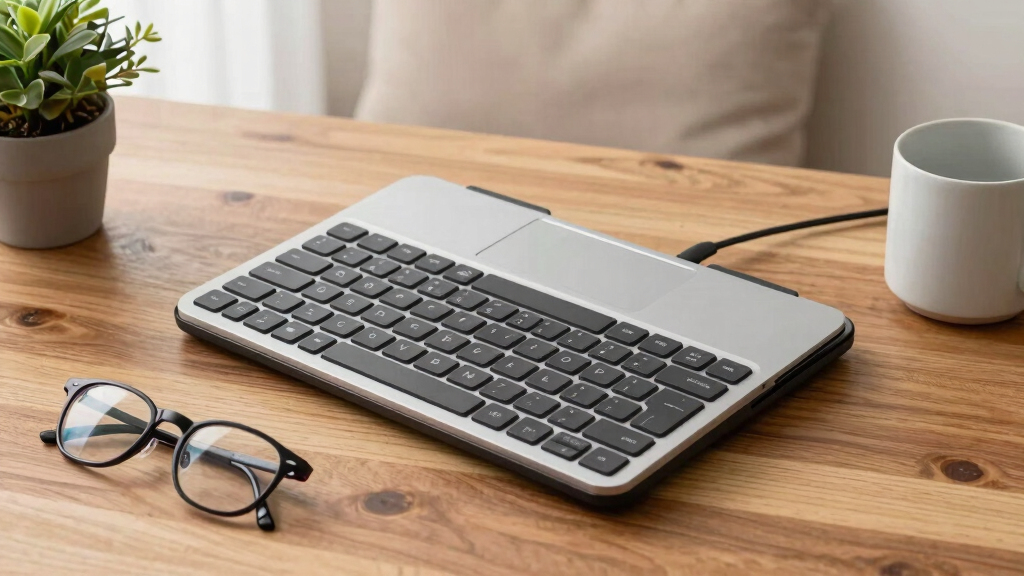
- Choose the right keyboard: Add a large-key or external keyboard for easier typing, minimizing finger fatigue and slips, which can be common with smaller keys or cramped layouts.
- Use a mouse or touchpad: Opt for larger, textured mice for better grip and control, reducing the effort needed for precise movements and decreasing wrist strain.
- Set up good lighting: Position your workspace to avoid glare and shadows, which can cause eye strain and discomfort over time.
- Take breaks: Every 20 minutes, look away and stretch to prevent repetitive strain injuries and maintain circulation, especially important for seniors with mobility issues.
For example, a senior using a standard laptop can place it on a stand, connect an oversized keyboard, and install screen magnification tools. These simple adjustments not only improve comfort but also extend the usability of existing devices, making technology more accessible without the need for purchasing new hardware.
As an affiliate, we earn on qualifying purchases.
Why Touchscreens Make Life Easier for Seniors
Touchscreens remove the need for tiny mouse movements or keyboard shortcuts. They let seniors tap, swipe, and pinch—actions familiar from smartphones. This reduces frustration, especially for those with limited dexterity or vision issues.
Imagine a grandparent quickly opening a photo album or checking the weather with just a tap. The rich, colorful interface makes navigation intuitive. Many seniors find that touchscreens decrease their learning curve and boost confidence, as they can interact directly with what they see on screen rather than navigating complex menus or small icons. This direct engagement often translates into increased independence, as seniors can perform tasks faster and with less frustration. The tradeoff? Some may find touchscreens less precise for detailed work, but for most everyday tasks, the ease of use far outweighs this concern.
Latest Tech Trends Making Laptops Senior-Friendly
Recent innovations focus on making devices more intuitive and adaptable. Hybrid laptops that convert into tablets are gaining popularity. These are perfect for seniors who want versatility without complexity. Larger, adjustable displays and AI-powered voice assistants like Alexa or Google Assistant are also game-changers.
For example, a 2023 study found that seniors who used voice commands reduced their screen time struggles by over 30%. These features turn a typical laptop into a personalized, easy-to-use device. The tradeoff? Some devices with advanced AI features can be more expensive and may require initial setup assistance, but they greatly enhance ease of use and can adapt to evolving needs over time.
Frequently Asked Questions
What features should I prioritize in an ergonomic laptop for seniors?
Look for large, high-contrast screens, big keys, adjustable stands, lightweight design, and touchscreen options. These features help reduce eye strain, improve comfort, and make navigation easier.Are there specific brands or models recommended for seniors?
Yes, models like the ASUS Chromebook Flip, Lenovo IdeaPad Flex, and Microsoft Surface Go are popular for their adjustable screens, lightweight build, and user-friendly features tailored for seniors.How can I make an existing laptop more ergonomic?
Use a laptop stand to elevate the screen, connect an external keyboard with larger keys, enable magnification or voice commands, and adjust lighting to prevent glare. Small tweaks can make a big difference.Are touchscreen laptops better for seniors?
Many seniors find touchscreens more intuitive and less frustrating than mouse-and-keyboard setups. They allow direct interaction, which can be especially helpful for those with mobility or dexterity challenges.What is the typical cost of ergonomic laptops for seniors?
Entry-level models start around $300, with premium hybrid or convertible devices costing up to $1,000 or more. Investing in a device with adjustable features often pays off in comfort and usability.Conclusion
The right ergonomic laptop can transform how seniors connect, learn, and enjoy technology. It’s less about the device and more about fitting it to their needs—big screens, simple controls, and adjustable features. When comfort meets accessibility, technology becomes a true companion, not a hurdle.
So, when choosing a laptop, think about the specific comfort points that matter most. Because a device designed with care can turn everyday tech into a source of joy and independence, no matter your age.
Columbus Day / Indigenous Peoples' Day Picks
long weekend sales
As an affiliate, we earn on qualifying purchases.