To stay safe from hackers and trolls in online gaming, use strong, unique passwords and enable two-factor authentication on your accounts. Keep your gaming software and platform up to date to fix security flaws. Avoid sharing personal info in chats and report any suspicious or abusive behavior quickly. Use trusted Wi-Fi networks and consider VPNs for added protection. Maintaining these habits helps shield your gaming experience—keep going to learn more about keeping yourself secure.

Turn quiet afternoons into listening time
- Thousands of audiobooks, podcasts and originals
- Listen on your phone, tablet or Echo — also offline
- Cancel anytime
Key Takeaways
- Use strong, unique passwords and enable two-factor authentication on gaming accounts.
- Avoid sharing personal information in chats or forums to prevent identity theft.
- Keep gaming software and platforms updated to patch security vulnerabilities.
- Play on trusted Wi-Fi networks and consider using VPNs for added security.
- Report suspicious behavior or harassment to platform moderators to stay safe online.
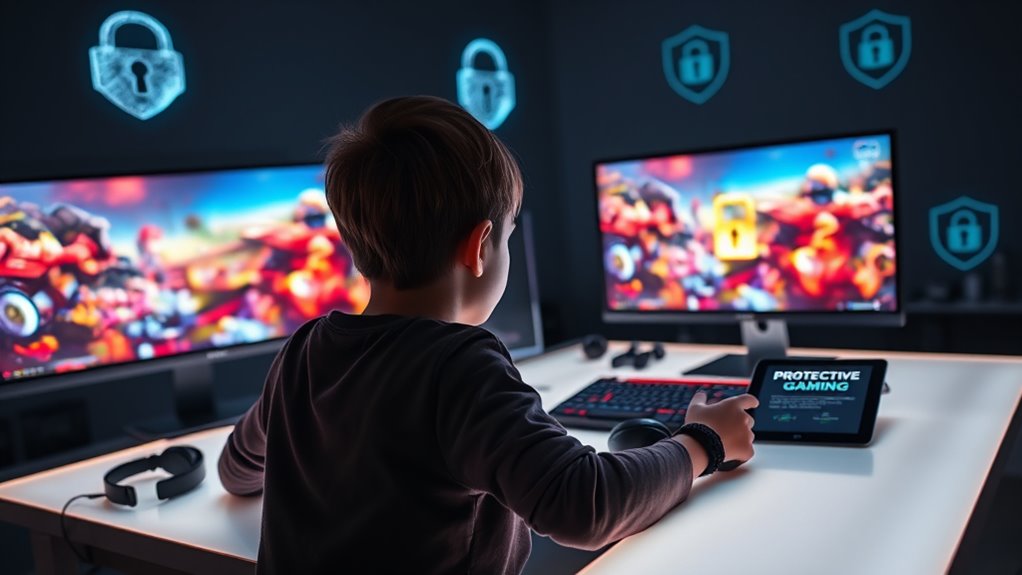
Playing online games can be fun and engaging, but it’s important to prioritize your safety while enjoying these digital experiences. One of the best ways to do this is by setting up parental controls on your gaming devices or accounts. Parental controls give you the power to restrict access to certain games, limit playtime, and monitor online activity. This way, you can prevent younger players from stumbling onto inappropriate content or spending too much time gaming. Even if you’re an adult, using parental controls can help you set boundaries and avoid compulsive gaming. Most gaming platforms and consoles offer these features, making it easy to customize your safety settings. Take the time to explore and configure these controls so you feel more secure while gaming.
Another *vital* aspect of online gaming safety is ensuring you have secure connections. When you’re logged into multiplayer games, you’re sharing data with servers and other players. Using a secure internet connection, like a trusted Wi-Fi network with strong encryption, helps protect your personal information from hackers and eavesdroppers. Avoid public Wi-Fi networks when gaming, especially if you’re entering sensitive account details or payment info. If you must use public Wi-Fi, consider employing a virtual private network (VPN). A VPN encrypts your internet traffic, making it much harder for malicious actors to intercept your data. Secure connections also prevent man-in-the-middle attacks, where hackers could potentially hijack your session or steal your login credentials.
Being proactive about your online security means regularly updating your software and games. Developers often release patches that fix vulnerabilities, so keeping everything up-to-date reduces the risk of exploitation. Additionally, use strong, unique passwords for your gaming accounts, and enable two-factor authentication whenever possible. This extra layer of security makes it more difficult for hackers to access your accounts even if they manage to steal your password.
Furthermore, understanding the importance of projector technology in enhancing your viewing experience can also be a part of your overall digital safety and entertainment setup.
Lastly, stay vigilant against trolls and hackers by being cautious about the information you share online. Avoid revealing personal details like your real name, address, or phone number in chats or forums. Report any suspicious or abusive behavior to the platform’s moderation team. Remember, your safety depends on staying informed and taking active steps to protect your digital presence. By combining the use of parental controls, securing your connections, and practicing good online habits, you can enjoy gaming without the added stress of potential cyber threats. Keep these safety measures in mind, and you’ll be better equipped to have a fun, secure gaming experience.
gaming account two-factor authentication device
As an affiliate, we earn on qualifying purchases.
As an affiliate, we earn on qualifying purchases.
Frequently Asked Questions
How Can I Identify if a Gaming Account Has Been Hacked?
If you notice account suspicious activity or receive unauthorized login alerts, your gaming account might be hacked. Check for unusual changes like unfamiliar friends, altered settings, or missing progress. You should also review recent login history and change your password immediately. Keep an eye out for suspicious messages or transactions. Taking these steps helps you confirm if your account has been compromised and protects your gaming experience.
What Are the Best Tools to Block Abusive Players Instantly?
Think of in-game chat filters and player blocking tools as your digital shield, instantly blocking abusive players. You should use built-in features like report buttons, mute options, and custom chat filters to keep your gaming experience safe. Many platforms also offer third-party apps or add-ons that automatically block or mute toxic players. These tools act like a vigilant guard, ensuring your gameplay stays positive and harassment-free.
How Do I Recover My Account After a Security Breach?
If your account gets compromised, start with an account recovery process immediately. Use the password reset feature to regain access, ensuring you choose a strong, unique password. Check your email for any breach notifications or suspicious activity. Enable two-factor authentication if available, and review your account settings for unauthorized changes. This proactive approach helps secure your account quickly and prevents further breaches.
Are There Specific VPNS Recommended for Safer Gaming?
Imagine a hidden shield that can make your gaming safer—this is where gaming VPNs come in. Not all VPNs are equal; look for those with strong VPN protocols like OpenVPN or WireGuard. Reputable gaming VPNs prioritize speed and security, helping you dodge hackers and trolls. Do your research, read reviews, and choose a provider that offers robust encryption and low latency for seamless, protected gaming sessions.
How Can I Report Harassment or Threats Effectively?
To report harassment or threats effectively, use the reporting channels provided by the platform, like in-game report buttons or support email. Gather evidence such as screenshots or chat logs to support your complaint. Clearly describe the incident, including dates and times. This helps authorities or platform moderators take appropriate action. Staying calm and detailed guarantees your report is taken seriously, increasing the chances of a swift resolution.
gaming VPN for secure connection
As an affiliate, we earn on qualifying purchases.
As an affiliate, we earn on qualifying purchases.
Conclusion
Staying safe in online gaming is like shielding yourself with an invisible armor—you protect your personal info, report suspicious activity, and set strong passwords. Remember, just as you wouldn’t trust a stranger in real life, don’t trust unknown players blindly. Keep your guard up and stay alert to avoid hackers and trolls. By staying cautious, you can enjoy your gaming experience without worrying, making it as safe as a fortress guarding your fun.
As an affiliate, we earn on qualifying purchases.
strong password manager for gamers
As an affiliate, we earn on qualifying purchases.
As an affiliate, we earn on qualifying purchases.
Fall Picks
fall essentials
As an affiliate, we earn on qualifying purchases.