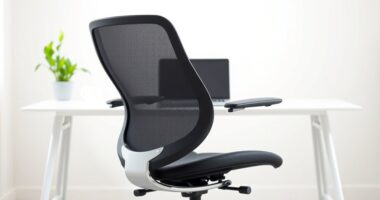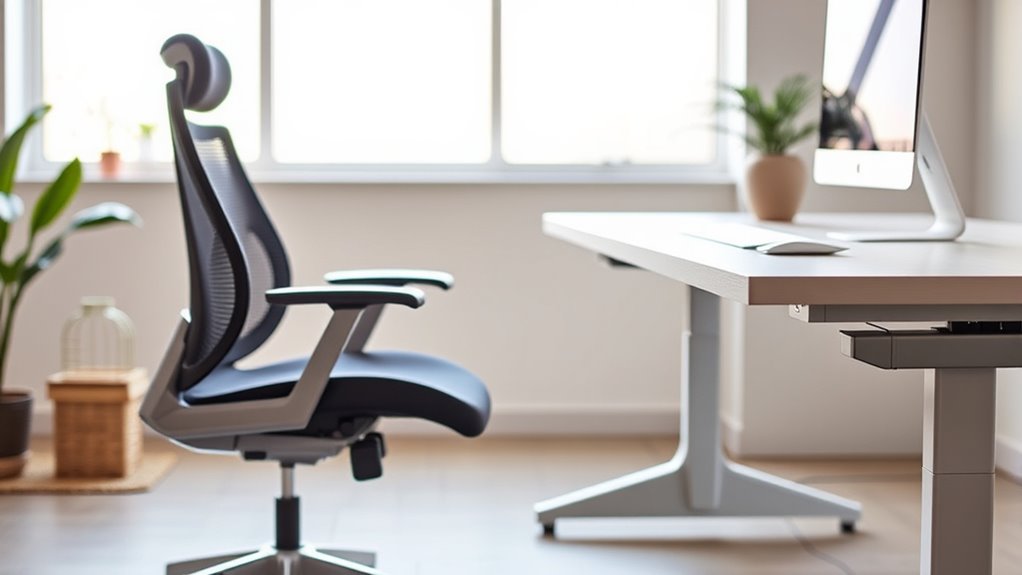

To select the right ergonomic chair and desk, focus on adjustable features that match your body. Look for a chair with customizable lumbar support and height, and verify it promotes a natural spine curve. Your desk should be at a height that allows your elbows to be at 90 degrees and your monitor at eye level. Prioritizing these details improves comfort, reduces strain, and boosts productivity—keep going to discover more ways to create an ideal workspace.

Get comfort and care essentials delivered free — and shop member deals
- Fast, free delivery on millions of items
- Access to Prime Big Deal Days deals on October 6–7
- Prime Video, Amazon Music and more included
Key Takeaways
- Select an adjustable chair with lumbar support to maintain natural spine curvature and prevent back strain.
- Choose a height-adjustable desk or standing desk to promote movement and reduce prolonged sitting.
- Ensure the monitor is at eye level and directly in front to prevent neck and eye strain.
- Maintain proper desk height so elbows form a 90-degree angle for comfortable typing and work posture.
- Prioritize flexible furniture features that allow easy switching between sitting and standing positions.

Have you ever wondered how your office furniture can impact your health and productivity? Choosing the right chair and desk isn’t just about aesthetics; it’s about supporting your body and keeping you energized throughout the workday. When it comes to desks, standing desks are gaining popularity because they encourage movement and reduce the negative effects of prolonged sitting. Using a standing desk allows you to switch between sitting and standing, which can improve circulation, reduce back pain, and boost your focus. But to get the most benefit, pairing it with proper lumbar support is essential. A good ergonomic chair with lumbar support helps maintain the natural curve of your lower spine, preventing slouching and reducing strain on your back muscles. Without proper support, even the best desk can lead to discomfort and long-term issues.
When selecting a standing desk, look for adjustable height options so you can set it at a level that keeps your elbows at a 90-degree angle and your monitor at eye level. This positioning helps reduce neck and shoulder tension. Incorporate a comfortable, supportive chair with lumbar support for times when you need to sit, ensuring your lower back remains properly aligned. The combination of a flexible standing desk and an ergonomic chair with lumbar support gives you the freedom to change positions, which is essential for avoiding stiffness and fatigue. Remember, your desk height should allow your forearms to rest comfortably on the surface without raising your shoulders, and your feet should be flat on the ground or on a footrest. Proper ergonomic setup is crucial for maximizing comfort and health benefits.
Adjustability is key when choosing furniture. A standing desk that can be easily switched from sitting to standing positions ensures you won’t get stuck in one posture for too long. Meanwhile, a chair with adjustable lumbar support can be tailored to fit your spine’s unique shape, providing consistent comfort. Proper setup is vital: your monitor should be directly in front of you, about an arm’s length away, with the top of the screen at eye level. This alignment prevents neck strain and encourages good posture. Investing in ergonomic furniture isn’t just about comfort; it’s about safeguarding your health and boosting your productivity. When you prioritize features like standing desks and lumbar support, you create a workspace that supports your body, helps prevent pain, and keeps you focused and energized throughout your day.
ergonomic adjustable office chair with lumbar support
As an affiliate, we earn on qualifying purchases.
As an affiliate, we earn on qualifying purchases.
Frequently Asked Questions
Can Ergonomic Furniture Improve Posture Over Time?
Yes, ergonomic furniture can improve your posture over time. By providing proper support and encouraging correct alignment, it promotes posture correction as you use it regularly. These long-term benefits help reduce discomfort and prevent musculoskeletal issues. When you choose the right chair and desk, you’ll notice better posture habits develop naturally, leading to healthier work routines and less strain on your body over the long run.
What Is the Ideal Chair Height for Different Body Types?
Imagine sitting comfortably, your feet flat on the floor, knees bent at a 90-degree angle. The ideal seat height varies with your body proportions—generally, your hips should be slightly higher than your knees. Adjust the seat height so that your thighs are parallel to the ground, ensuring support and comfort. This personalized approach helps you maintain good posture and reduces strain during long hours of work.
How Do I Adjust My Desk for Maximum Comfort?
You should adjust your desk by setting your monitor height so the top of the screen is at eye level, reducing neck strain. Keep your keyboard positioned so your elbows are at a 90-degree angle and your wrists stay straight. Make certain your chair height allows your feet to rest flat on the floor. These adjustments promote comfort and prevent strain during long hours at your desk.
Are Ergonomic Chairs Suitable for Short or Tall Individuals?
Ergonomic chairs are suitable for both short and tall individuals, as their adjustable features let you customize support. Look for chairs with adjustable seat height, lumbar support, and armrests to match your height. Consider your office space layout to guarantee the chair fits comfortably and allows easy movement. By choosing a chair with proper ergonomic features, you’ll improve comfort and posture, regardless of your height.
How Often Should I Replace or Upgrade Ergonomic Furniture?
You should replace or upgrade your ergonomic furniture every 5 to 10 years, depending on furniture longevity and wear. Regularly assess for signs of damage, loss of support, or discomfort, which indicate it’s time for an upgrade. By doing so, you verify your workspace remains comfortable and supportive. Staying proactive with furniture maintenance and upgrades helps prevent strain and promotes better posture, keeping you healthy and productive.
As an affiliate, we earn on qualifying purchases.
Conclusion
Now that you understand the essentials of ergonomic furniture, the choice you make could transform your daily comfort—and your health. Will you select the perfect chair and desk to support your body’s needs? The right combination might be closer than you think. But beware: the true difference lies in how well these pieces adapt to you over time. Are you ready to make that vital decision and open a new level of comfort? The next step awaits.
As an affiliate, we earn on qualifying purchases.
ergonomic footrest for standing desk
As an affiliate, we earn on qualifying purchases.
As an affiliate, we earn on qualifying purchases.
Halloween Picks
halloween
As an affiliate, we earn on qualifying purchases.