
TL;DR
Smart home devices for seniors can support everyday routines, communication, and alerts, but they work best when they match the person’s needs and home. Start with one practical change, such as better nighttime lighting or a medical alert button, and check usability, costs, privacy, compatibility, and outage plans before adding more.
A dark hallway can turn a simple trip to the bathroom into a search for a switch, while a voice assistant can turn on a lamp with one spoken request. That is the promise of smart home devices for seniors: small tools that can make some daily tasks easier and help people stay connected at home.

Turn quiet afternoons into listening time
- Thousands of audiobooks, podcasts and originals
- Listen on your phone, tablet or Echo — also offline
- Cancel anytime
This guide explains which devices may help with lighting, reminders, doors, emergencies, and household alerts. You’ll also see what to check before buying, from monthly fees and Wi-Fi to privacy and what happens during an outage. The best setup is personal; it should make life feel more manageable without taking away choice or dignity.
Think of technology as a helpful extra set of hands, not a replacement for a caregiver, medical equipment, or emergency services. For example, a motion sensor might tell a daughter that the front door opened, but it cannot explain why. A useful plan combines the right device with the person’s preferences and real-world support.
Ask the older adult which daily task they want to make easier, then start with one device.
Treat fall detection and other alerts as imperfect signals; decide who responds and how.
Check subscription costs, Wi-Fi or cellular needs, compatibility, and outage backups before buying.
Use lighting and voice tools where they fit the person’s hearing, vision, dexterity, and preferences.
Discuss privacy openly, restrict account access, and choose the least intrusive setup that meets the need.
Start with one daily problem you want to make easier
Smart home devices for seniors work best when you choose them to address a specific need, such as seeing visitors, remembering a routine, or finding your way through a dark hall. Start by asking the older adult what would make an ordinary day easier. A device that solves a problem they care about is more likely to get used because it fits an existing routine instead of asking them to adopt technology for its own sake.
Try describing a real moment: “Would it help if the hall light turned on when you got up at night?” That question invites a useful conversation without assuming the person wants monitoring or a new app. One family might find that a call button offers peace of mind; another might prefer a brighter lamp and regular check-ins. The choice matters because a tool that feels intrusive or confusing can create stress even if it offers features that look useful on paper.
Use this short process before you shop:
- Name the task: What feels difficult, inconvenient, or easy to forget? A specific example helps distinguish a recurring need from a one-off problem.
- Choose one device: Match the task to a practical option, such as a motion light or reminder. Fewer features usually mean fewer settings to learn and troubleshoot.
- Try it together: Set it up, practice, and ask whether it feels comfortable. Practice can reveal barriers such as a hard-to-reach button, an alert that is too quiet, or an app that requires help every time.
- Review the result: Keep it, adjust it, or remove it if it adds frustration. Consider whether it reliably helps during the moments it was chosen for, not just whether it works in a demonstration.
This small trial also helps you avoid paying for features no one needs. If your father already remembers his pills with a kitchen timer, a connected dispenser may add cost without adding much value. The person who lives with the device should have a voice in the choice and the setup; that keeps the technology in service of their independence rather than making it another routine imposed on them.
Products Worth Considering

BowFlex Results Series SelectTech Adjustable Dumbbells (Pair)

Garmin Venu 4 GPS Fitness Smartwatch, 45 mm, Black Silicone

BowFlex Results Series 552 SelectTech Adjustable Dumbbell
As an affiliate, we earn on qualifying purchases.
Use alerts and reminders as backup, not a safety guarantee
A medical alert system can provide a wearable button that lets someone call for help, and some models offer possible fall detection. These devices can help older adults stay safer by providing another way to ask for assistance, especially if reaching a phone is difficult. The practical benefit depends on whether the person wears or can reach the device, understands how to activate it, and has a connection to someone able to respond. Performance and response also depend on the product, settings, connection, and any monitoring service.
Fall detection is imperfect: a device can miss a fall or send a false alarm. A missed event may leave a person waiting for help if no other check-in is planned; false alarms may worry the wearer or cause responders to discount later alerts. If a person chooses a pendant or watch, practice using its button and check how it contacts help. A family should understand who gets notified, whether there is a monthly fee, and whether the system uses home Wi-Fi, cellular service, or another connection. A system that only works in one part of the home may not help during a fall in the garden or a walk outside.
Medication reminders range from a simple scheduled alert to a connected dispenser that releases a dose at a set time and may notify a caregiver about a missed dose. A reminder can reduce the effort of keeping track, but it does not prove that the person took the medication. Imagine a dispenser sounding in a quiet kitchen while its owner is out for a walk; someone still needs to know what the alert means and what action to take. More automated dispensers may reduce missed doses, but can also cost more and require someone to refill them correctly and resolve jams or power issues.
For medication questions or changes, follow guidance from a qualified health professional or pharmacist. A reminder device is a routine aid, not a substitute for professional medication management. Agree on what happens after a missed alert, and keep a clear plan for power or connection problems so a technical failure does not become an unnoticed gap in the routine.
Make nighttime trips and everyday tasks simpler
Smart lighting and voice assistants can reduce the number of small steps between a person and a task. Motion sensors can switch on a light in a hallway or bathroom, while a smart speaker may set a reminder, make a call, or control compatible lights by voice. These options can be useful when bending, reaching, or handling a phone feels awkward. Their value depends on matching the control to the person: automation saves steps, while a manual switch can be more predictable when sensors or voice recognition do not work as expected.
Picture a hallway at 2 a.m.: a motion sensor brings up a soft light as someone steps out of the bedroom. The light should be bright enough to see the path but not so abrupt that it feels like a flash in a dark room. Placement matters too; a sensor pointed at a passing pet or a moving curtain may switch the light on when no one needs it. That can disturb sleep or make the person ignore the light when it matters, so try the placement at night and adjust the sensitivity and timing.
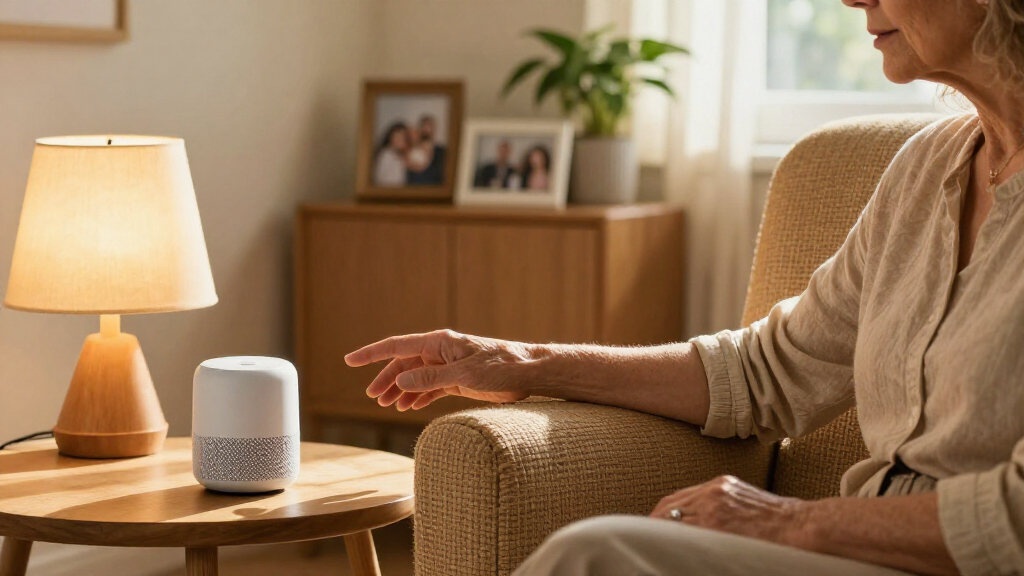
A smart speaker might let someone ask for a weather forecast or call a family member without searching for a phone. But voice control depends on hearing, speech recognition, language, internet access, and comfort with speaking to a device. If your aunt speaks softly or has trouble hearing responses, a large-button remote or standard lamp switch may be easier. A voice assistant also needs power and often a working network, so its convenience should not be the only way to operate essential lights or contact help.
Try the setup at the time and place it will be used. Walk the route after dark, test the light from a seated position, and practice a voice command in the room where background noise is common. Notice whether the control is reliable without repeated commands and whether its alerts are easy to hear. A familiar routine should feel smoother, not like learning a new language just to turn on a lamp.
Compare door, sensor, and household alerts by what they tell you
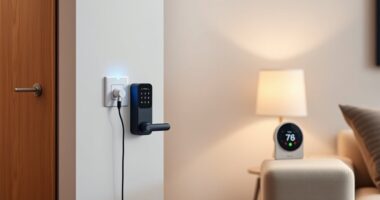
Doorbells, locks, and household sensors report specific events, such as a visitor arriving or a door opening; they do not explain a person’s wellbeing. Choose them for a clear purpose, such as letting someone see who is at the door or alerting a caregiver when a door opens at an unusual hour. The key tradeoff is that more alerts can offer awareness but also create interruptions and monitoring concerns. Each alert needs a person who understands what to do next.
| Device | What it can do | What to check |
|---|---|---|
| Smart doorbell | Shows or records who is at the door, depending on the model. | Internet connection, privacy settings, and any recording fees. |
| Smart lock | Can allow remote locking or temporary access for a trusted visitor. | Account security, battery life, and a manual key or backup plan. |
| Door or motion sensor | Can send an alert when a door opens or movement is detected. | Placement, alert recipients, and whether the alert fits the person’s routine. |
| Leak or smoke alert | Can notify a resident or contact about certain household events. | Keep standard smoke and carbon monoxide alarms installed and maintained. |
For instance, a door sensor might help a family notice that their grandfather opened the back door overnight. That signal can prompt a check-in, but it cannot tell whether he went to get water or needs help. If every routine opening creates an alert, the family may stop paying attention; if alerts are limited to agreed situations, they are more likely to prompt a useful response. Agree on who receives alerts and what response makes sense before enabling them.
Smart locks and connected alerts also rely on batteries, accounts, or network connections. A smart lock can make access easier for a trusted visitor, but it also means remote access needs careful control and a plan for a low battery or lost internet. Keep a working manual option where practical, and review access whenever a trusted helper’s role changes. A notification is only useful when it reaches someone who can respond.
Check costs, compatibility, and outages before you buy
Smart home devices can be simple to install or part of a larger system, and their full cost may include more than the device price. You may need reliable Wi-Fi, a hub, a smartphone, installation, replacement batteries, or a monthly monitoring subscription. These ongoing requirements affect whether the device remains useful: a system that depends on an app someone cannot manage or a fee the household later drops may stop supporting the routine it was bought for. Check the requirements and total recurring costs before purchase so a low sticker price does not turn into an expensive surprise.
Devices from different makers can sometimes work through a shared platform. Matter, a cross-industry smart home standard introduced in the 2020s, aims to improve compatibility among supported products. Compatibility can make it easier to add devices over time, but it does not promise that every feature will work across every platform. A product may pair successfully while a specific alert or automation remains unavailable, so confirm the exact model and the functions you plan to use before building a setup around it.
Make a practical outage plan. If the power goes out, can the person still open the door or turn on a light? If Wi-Fi drops, does the medical alert system have another connection? Some devices continue basic functions locally or run on batteries, while others lose their main benefit without internet access. A battery-powered light or regular key may be a sensible backup even in a home full of connected devices.
For example, a smart lock may be convenient for a caregiver who visits each Tuesday, but the resident should know how to enter if the internet is down or the lock battery runs low. Write down the simplest backup steps and keep them somewhere accessible. Test those steps before the first real outage; a backup is useful only if the resident and helpers know where it is and how to use it.
Protect privacy and keep the person in control
Smart speakers, cameras, wearables, and activity sensors may collect voice recordings, location, or information about daily routines. That information can reveal when someone is home, where they go, or when a routine changes. Before turning on monitoring, talk with the person about what data the device collects, who can see it, and what they are comfortable sharing. Clear agreement protects trust as much as a strong password protects an account.
Ask concrete questions: Can you delete recordings? Which family members can view activity? How long does the company keep data? Can you turn off a feature without disabling the whole device? The answers vary by product, so read the current settings and privacy terms before setup. These details help you weigh convenience against exposure: a camera may help identify a visitor, while a sensor that reports every movement may reveal far more of someone’s daily life than the family needs to know.
Use a unique password for each account and turn on multifactor authentication when available. Limit access to the people who need it, and remove old accounts when a caregiver no longer needs them. These steps matter when a doorbell feed or routine alert could reveal when someone is home. Review access occasionally, because family roles and care arrangements can change over time.
Choose the least intrusive setup that meets the agreed need. If a lamp with a motion sensor solves a nighttime problem, a camera in the bedroom would be an unnecessary intrusion. Monitoring should support the older adult’s choices and dignity; it should not quietly turn their home into a place where every movement is watched. The person should also be able to revisit the decision if the device becomes uncomfortable or their needs change.
Frequently Asked Questions
Which smart home devices are most helpful for seniors living alone?
It depends on what the person wants help with. A medical alert system, nighttime lighting, a reminder, or a door sensor can be a reasonable starting point. Choose one device around a specific need and test it together.
Can a smart device detect a fall and call for help?
Some wearables offer possible fall detection and can notify contacts or a monitoring service. Detection can miss falls or trigger false alarms, and response depends on settings, connectivity, and service coverage. It is one layer of support, not guaranteed protection.
Do smart home devices require Wi-Fi or a smartphone?
Requirements vary by product. Some use home internet, a smartphone, or a hub; some medical alert systems use cellular connections. Check the exact model and its backup behavior before buying.
Will devices from different brands work together?
Sometimes. Compatibility depends on the products, platform, and features you need; Matter aims to improve compatibility among supported devices, but it does not cover every product or feature. Confirm the specific combination before purchasing.
Can smart home devices replace a caregiver or regular check-ins?
No. Devices can support communication and send selected alerts, but they can fail, miss events, or provide incomplete information. Keep human check-ins and a broader support plan in place.
How can I keep smart home devices private?
Review what data a device collects, who can access it, and how long the company stores it. Use unique passwords, enable multifactor authentication when available, and share access only with trusted people. Discuss monitoring openly with the person who lives in the home.
Conclusion
Choose the device that makes one ordinary moment easier, then try it together before building a larger system. A motion light, reminder, or alert button can be useful when it fits the person’s routine and comes with a clear backup plan.
The goal is a home that feels familiar and manageable, with technology quietly helping in the background. Start with the person, not the shopping list.