To achieve professional results on a budget, focus on mastering lighting and sound techniques with your smartphone. Use natural light, like shooting during golden hour or near windows, and soften harsh sunlight with household items like sheer curtains. Improve audio by using external mics, fixing background noise, and monitoring sound levels with headphones. With some simple adjustments and creative resourcefulness, you can elevate your videos considerably—keep exploring, and you’ll discover even more tips to enhance your filmmaking skills.

Turn quiet afternoons into listening time
- Thousands of audiobooks, podcasts and originals
- Listen on your phone, tablet or Echo — also offline
- Cancel anytime
Key Takeaways
- Utilize natural light and golden hour shoots to achieve cinematic quality without extra equipment.
- Use household items like curtains or aluminum foil to diffuse and reflect light for professional-looking scenes.
- Invest in affordable external microphones and monitor audio with headphones for clear sound.
- Choose quiet indoor environments and add soft materials to absorb echoes and background noise.
- Practice shot composition, lighting angles, and sound checks regularly to enhance overall video professionalism.
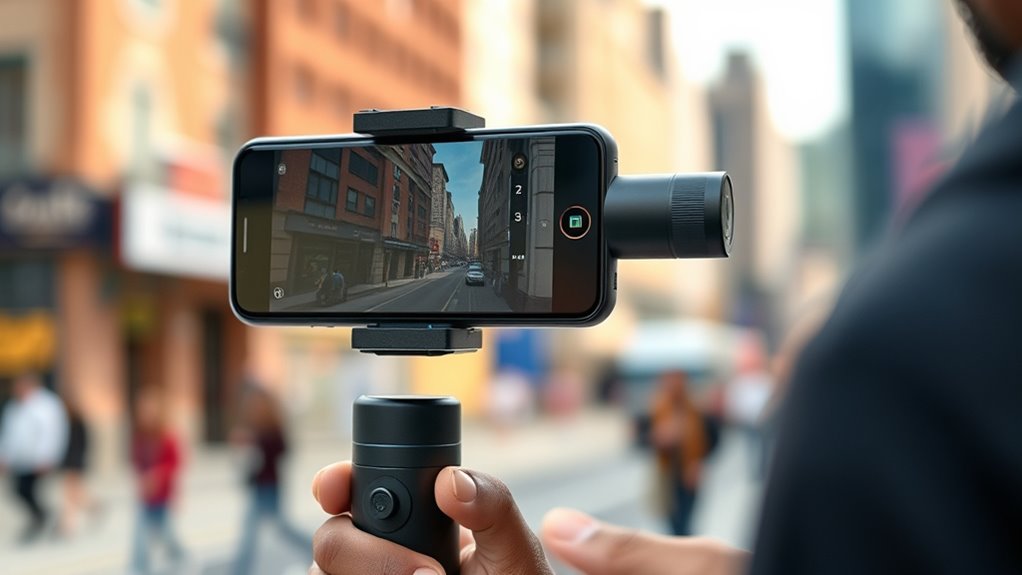
Have you ever considered how your smartphone can turn you into a filmmaker? It’s incredible how much power and flexibility your device offers, especially when it comes to capturing high-quality visuals and sound. The key to elevating your smartphone filmmaking lies in mastering simple yet effective lighting techniques and sound recording methods. These elements might seem basic, but they can make the difference between a amateurish clip and a professional-looking project.
Your smartphone transforms into a professional filmmaking tool with simple lighting and sound techniques.
When it comes to lighting, natural light should be your best friend. Shooting during the golden hour—shortly after sunrise or before sunset—can add a warm, cinematic glow to your scenes without any extra equipment. If you shoot indoors or in low-light conditions, try to position your subject near windows or light sources. Keep in mind that harsh midday sunlight creates strong shadows, so diffuse the light using sheer curtains or reflect it with a white poster board to soften the shadows. You don’t need expensive gear; a simple reflector or even a piece of aluminum foil can bounce light onto your subject, filling in shadows and adding depth. Experiment with different angles and intensities to achieve the most flattering and natural look.
Sound is equally important, and good sound quality dramatically boosts your video’s professionalism. Avoid relying solely on your smartphone’s built-in microphone, which can pick up background noise and produce muffled audio. Instead, use an external microphone if you have one, or get creative with household items. For example, placing your phone close to the subject helps capture clearer audio, but be mindful of environmental noise. To reduce echoes or unwanted sounds, film in a quiet room and add soft materials like blankets or pillows to absorb sound reflections. If you’re recording dialogue outdoors, try to shield the microphone from wind by using a simple foam cover or creating a wind shield with a piece of cloth. Always do a quick sound check before starting your shoot to confirm clarity, and consider using headphones to monitor audio levels in real-time.
Combining effective lighting techniques with solid sound recording methods is essential in smartphone filmmaking. These strategies don’t require expensive gear but demand your attention and creativity. With a little practice, you’ll notice your videos look more polished and engaging. Remember, the magic isn’t just in the equipment but in how you use it. By paying close attention to light and sound, you’re well on your way to producing professional-quality content right from your pocket.
Products Worth Considering

LEVOIT Vital Pet Pro Smart Air Purifier
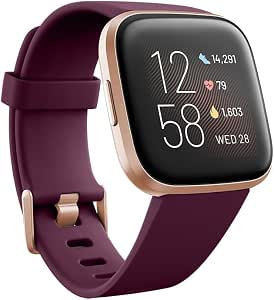
Fitbit Versa 2 Health and Fitness Smartwatch with Heart Rate, Alexa, Music, Sleep and Swim Tracking

Withings BPM Vision Blood Pressure Monitor with Wi-Fi and Bluetooth
As an affiliate, we earn on qualifying purchases.
Frequently Asked Questions
How Do I Stabilize My Smartphone for Smooth Shots?
To stabilize your smartphone for smooth shots, start by using a tripod to guarantee steady tripod stability. If you want more mobility, consider gimbal options—they keep your phone steady even when you’re moving. Make sure your phone is securely mounted, and hold the gimbal or tripod steady with both hands. These tools help eliminate shaky footage, giving you professional-looking results without expensive equipment.
What External Microphones Improve Smartphone Audio Quality?
They say “the devil is in the details,” and that’s true for your smartphone audio. You’ll want to consider Lavalier microphones for discreet, clear sound close to your subject, or Shotgun microphones for capturing directional audio from a distance. Both options greatly improve your audio quality, making your videos more professional. Choose based on your filming needs, and remember, good sound is half the picture!
Which Apps Are Best for Editing Smartphone Footage?
You’ll find Adobe Premiere Rush and iMovie are top apps for editing smartphone footage. They feature intuitive app interfaces and offer handy editing shortcuts, making the editing process smooth and efficient. Premiere Rush provides advanced features suitable for quick edits, while iMovie is perfect for beginners. Both allow you to trim clips, add smooth progressions, and adjust audio easily, helping you create professional-looking videos without needing expensive software.
How Can I Achieve Cinematic Lighting With Limited Equipment?
You can achieve cinematic lighting with limited equipment by mastering DIY lighting techniques. Use natural light creatively, like shooting near windows or during golden hour, and bounce light with white surfaces or reflectors to soften shadows. You can also craft affordable DIY lighting setups using LED strips or desk lamps, diffusing the light with paper or fabric. These simple lighting techniques help create professional-looking, cinematic scenes without breaking the bank.
What Accessories Are Essential for Professional Smartphone Filmmaking?
You don’t need fancy gear to make professional-looking videos. Essential accessories include a sturdy tripod mount to keep your shots steady and lens attachments to enhance image quality and creativity. These tools are affordable and versatile, helping you achieve cinematic results without breaking the bank. By investing in these essentials, you’ll elevate your smartphone filmmaking and capture more polished, professional scenes effortlessly.
Conclusion
Now that you’ve revealed the secrets of smartphone filmmaking, you’re practically a Hollywood director in disguise. With just your phone and these pro techniques, you can create cinematic masterpieces that rival big-budget productions. No need for expensive gear or fancy studios—your device is now a magic wand capable of transforming everyday moments into unforgettable films. So go ahead, dream big, shoot boldly, and watch your filmmaking skills skyrocket beyond even your wildest imagination!