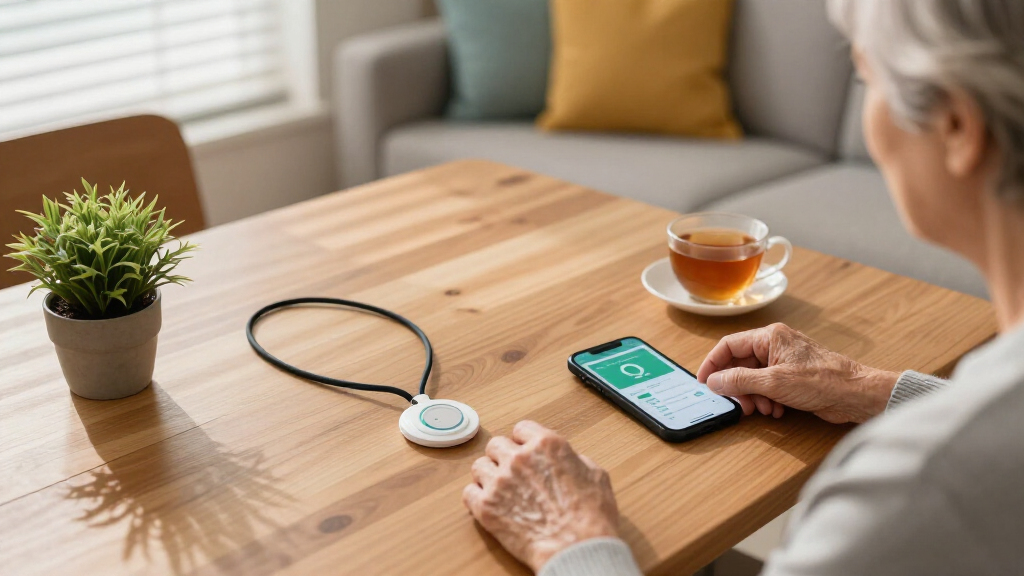

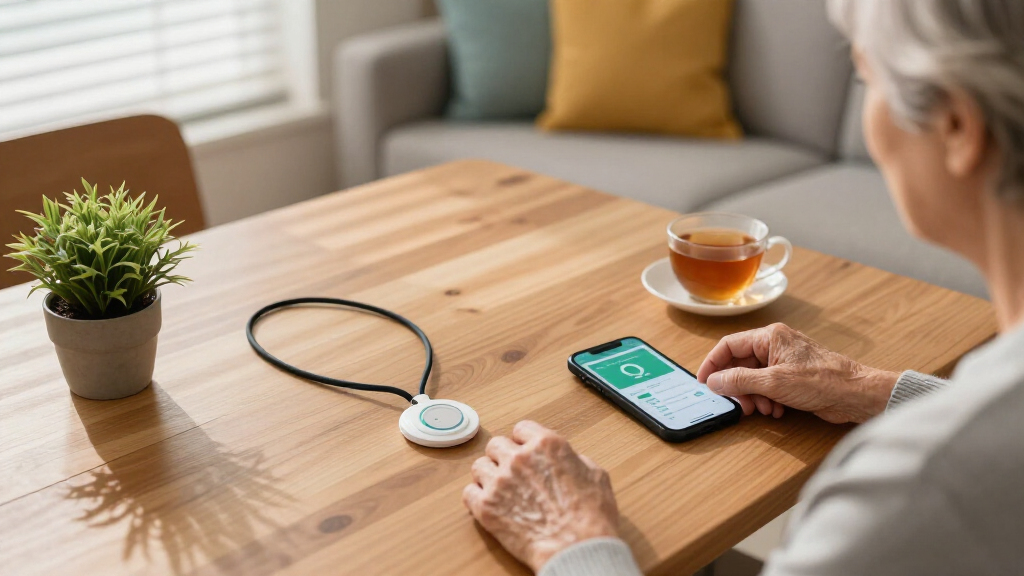
For seniors who want help within reach at home and while out, the Bay Alarm Medical SOS Micro is my best overall pick because it combines fall detection with location tracking in a compact system. The ADT Medical Alert Plus suits people who mainly need an in-home response system, while the Safety+ 4G is a mobile alternative with GPS and fall detection. The central choice is between a monitored service with ongoing fees and simpler devices that call directly or rely on a caregiver receiver. Range, cellular coverage, fall detection, and who answers an alert can matter more than the pendant’s appearance. Read on for the full breakdown and help matching a system to your routine.

Turn quiet afternoons into listening time
- Thousands of audiobooks, podcasts and originals
- Listen on your phone, tablet or Echo — also offline
- Cancel anytime
Complete the kit


Key Takeaways
- Bay Alarm Medical SOS Micro leads for shoppers seeking location tracking and fall detection in a mobile, compact format.
- ADT Medical Alert Plus is the in-home-focused option in this group; it does not serve the same on-the-go role as the GPS pendants.
- Several products advertise no monthly fees or direct 911 calling, but those claims describe a different service model from a monitored response plan.
- The WiFi Caregiver Pager centers on notifying someone nearby, making it a different fit from systems designed to connect to an emergency response center.
- Fall detection appears across some mobile systems, but buyers should treat it as an added alert feature, not a substitute for being able to press the button or confirm response coverage.


| medical alert systems for senior | Connectivity |
|---|---|
| Bay Alarm Medical SOS Micro | Verizon 4G LTE |
| ADT Medical Alert Plus | — |
| Medical Alert Pendant for Seni | 4G LTE |
| SecuLife Medical Alert Pendant | — |
| Freedom Alert Landline Persona | Landline phone service |
| ADT On-The-Go Mobile Medical A | — |
| Life Alert System for Seniors | Wi-Fi and wireless signal |
| Medical Alert System | — |
| Bay Alarm Medical SOS Mobile G | Cellular |
| WiFi Caregiver Pager Life Aler | 2.4GHz Wi-Fi |
| Safety+ 4G Medical Alert Syste | 4G LTE |
| Connected Caregiver Safety+ Ul | — |
| Help Now No Monthly Fees One-T | Cell signal |
More Details on Our Top Picks
Bay Alarm Medical SOS Micro – 24/7 Medical Alert System with Fall Detection and Location Tracking for Seniors
The SOS Micro suits seniors who want monitored help beyond the house without carrying a phone. Its Verizon 4G LTE connection, location tracking, and fall detection support a different use case from the ADT Medical Alert Plus, which is designed for home range and temperature alerts. At less than 1.2 ounces, this wearable is a lighter option for everyday outings, and IP67 water resistance helps with routine exposure to wet conditions. The tradeoff is its up to 36-hour battery life: users need a regular charging routine, especially compared with the SecuLife pendant’s stated battery life of up to six days. Professional monitoring also requires a monthly subscription, and cellular coverage limits where it can connect.
Pros:- Lightweight design at less than 1.2 ounces
- Location tracking and fall detection for mobile use
- IP67 water resistance
- Connects to 24/7 professional monitoring without a smartphone
Cons:- Battery lasts up to 36 hours, requiring frequent charging
- Monitoring requires a monthly subscription
- Cellular coverage limits where the device can connect
Best for: Seniors who leave home regularly and want a lightweight wearable with monitored alerts and location tracking.
Not ideal for: People who want a device lasting several days between charges, or who live or travel where Verizon coverage is weak.
- Connectivity:Verizon 4G LTE
- Water resistance:IP67
- Weight:Less than 1.2 oz
- Battery life:Up to 36 hours
- Device type:Wearable medical alert device
- Monitoring:24/7 professional emergency response
- Subscription:Monthly; cancel anytime
Our verdict“Choose the SOS Micro if a compact, monitored alert device for regular outings matters more than multi-day battery life.”
ADT Medical Alert Plus – In-Home Emergency Response System, White Wristband
ADT Medical Alert Plus is aimed at seniors who spend most of their time at home and want room to move while wearing the alert button. Its 600-foot range offers more freedom around the property than a landline-dependent device like the Freedom Alert, while automatic temperature monitoring adds a household safety alert beyond the SOS button. ADT also provides 24/7 U.S.-based professional monitoring and caregiver communication. The distinction from the mobile Bay Alarm Medical SOS Micro is clear: ADT’s system is for home use, not errands or travel. Buyers should also weigh the monthly agreement and setup against the convenience; temperature alerts and extended range matter most when the wearer is reliably within range of the base system.
Pros:- Up to 600 feet of range
- Automatic home temperature monitoring
- 24/7 U.S.-based professional monitoring
- Monthly agreement without a long-term contract
Cons:- Designed for in-home use, not portable protection outside the home
- Requires setup and a monthly monitoring agreement
- Temperature monitoring may add little value for buyers seeking only a wearable alert
Best for: Home-centered seniors who want a broad wearable range around the house and automatic temperature alerts.
Not ideal for: Seniors who need protection while away from home or prefer a mobile device with location tracking.
- System type:In-home emergency response system
- Range:Up to 600 feet
- Temperature monitoring:Yes
- Monitoring:24/7 U.S.-based professional monitoring
- Caregiver communication:Step-by-step communication
- Agreement:Monthly; no long-term contract
- Device color:White
Our verdict“Pick ADT Medical Alert Plus for monitored coverage around the home, especially if temperature alerts are useful to your household.”
Medical Alert Pendant for Seniors with 911 Direct Calling and No Monthly Fees
This pendant is for buyers who want a button that calls 911 directly, rather than routing an alert through a professional monitoring service. Its two-way speaker lets the wearer communicate after connecting, and the safety cover and three-second press-and-hold action can help reduce accidental calls. That makes it a different choice from the Bay Alarm Medical SOS Micro, which connects to 24/7 professional monitoring and offers location tracking. Skipping a monitoring subscription also means the user must be comfortable contacting emergency services directly and explaining the situation. The pendant relies on 4G LTE coverage and three AAA batteries, so it depends on compatible service and battery readiness. It is less suitable for someone who wants a monitoring center to coordinate a response.
Pros:- Direct 911 calling without a monitoring subscription
- Two-way communication through the speaker
- Safety cover and press-and-hold activation help guard against accidental calls
- Lanyard and clothing clip offer carry options
Cons:- Does not provide a professional monitoring center
- Requires compatible cellular service and is limited to U.S. coverage
- Depends on three AAA batteries
Best for: Seniors who can use a direct 911 call and want two-way communication without a monthly monitoring subscription.
Not ideal for: People who want a professional monitoring center to answer first, or who need location tracking or automatic fall detection.
- Connectivity:4G LTE
- Batteries:3 AAA batteries
- Emergency calling:Direct 911 call with two-way communication
- Activation:Press and hold SOS button for 3 seconds
- Included accessories:Protective cover, neck lanyard, and belt or clothing clip
- Monitoring fee:No monthly monitoring fee
- Coverage:U.S. coverage; compatible cellular service required
Our verdict“Choose this pendant if direct 911 access and avoiding monthly monitoring are priorities and the wearer can manage the call.”
SecuLife Medical Alert Pendant for Seniors with Fall Detection and GPS
SecuLife’s pendant pairs fall detection with GPS tracking and two-way calling, giving active seniors a way to request help and share location without relying on a smartphone. Its stated battery life of up to six days is a useful advantage over the Bay Alarm Medical SOS Micro, which is listed for up to 36 hours between charges. IP67 water resistance and a large SOS button also support regular wear, including in wet settings. This is still a subscription-based service, and the provided information says customization is limited. Compared with the ADT Medical Alert Plus, SecuLife is built for mobile location tracking rather than a fixed home range and temperature alerts. Buyers should confirm that its service and charging routine fit their needs.
Pros:- Automatic fall detection
- GPS tracking with geo-fence zones
- IP67 water resistance
- Stated battery life of up to six days
Cons:- Requires a monthly subscription
- Limited detailed feature customization
- GPS and cellular functions depend on service availability
Best for: Seniors who want mobile GPS, automatic fall detection, and fewer charging interruptions than a shorter-life wearable.
Not ideal for: People who want a no-subscription device or need detailed control over alert and location settings.
- Device type:Medical alert pendant
- Fall detection:Automatic
- Location:GPS tracking with geo-fence zones
- Communication:Two-way calling
- Water resistance:IP67
- Battery life:Up to 6 days
- Included:Charging cable, SIM card, and user manual
- Subscription:Monthly subscription required
Our verdict“SecuLife is a strong fit for mobile users who value GPS and a longer stated battery life and accept a subscription.”
Freedom Alert Landline Personal Emergency Device with 2-Way Call for Seniors and Elderly
Freedom Alert suits seniors who already have landline service and want a rechargeable button for two-way calls with family, emergency services, or dispatchers. With no monthly fees, it differs from subscription-based systems such as the ADT Medical Alert Plus; the tradeoff is dependence on a home phone line and use within the home. Its 24-hour battery backup can keep the unit available during a power interruption, while the ability to wear or mount it gives the user placement flexibility. Unlike the Bay Alarm Medical SOS Micro, it does not offer mobile cellular coverage or location tracking for outings. This is a straightforward home option for landline households, but it does not fit homes without compatible phone service.
Pros:- No monthly fees
- Two-way voice communication
- Rechargeable device with 24-hour battery backup
- Can be worn or mounted for access around the home
Cons:- Requires existing landline phone service
- Limited to home use
- Does not provide mobile location tracking
Best for: Seniors with an existing landline who want a rechargeable in-home alert device without monthly fees.
Not ideal for: People without landline service or anyone who needs emergency coverage while away from home.
- Connectivity:Landline phone service
- Communication:Two-way voice
- Rechargeable:Yes
- Battery backup:24 hours
- Monthly fees:None
- Use:Home use
- Wear or mounting:Can be worn or mounted
Our verdict“Choose Freedom Alert if you have a landline and want a no-monthly-fee device for two-way help at home.”
ADT On-The-Go Mobile Medical Alert System for Seniors, Neck Pendant
ADT professional monitoring and a single push button make this a straightforward choice for seniors who want a monitored alert while away from home. Its AT&T network connection and waterproof necklace or wristband options support everyday mobility, while caregiver updates can keep family informed during an emergency. Compared with the Bay Alarm Medical SOS Mobile GPS 4G, the details here emphasize wearable choices and ADT monitoring rather than GPS tracking or a stated multi-day battery life. That makes the ADT option a better fit for buyers focused on reaching professional help, while the Bay Alarm device may suit those prioritizing location features. The tradeoff is ongoing monitoring cost, and the supplied information does not specify contract terms or battery life.
Pros:- One-button activation is simple to use in an emergency
- Waterproof necklace and wristband options support different wearing preferences
- ADT professional monitoring handles emergency response
- Caregiver updates can keep family informed
Cons:- Requires a monthly monitoring plan
- Contract options are not specified
- Battery life and GPS features are not specified
Best for: Seniors who want a wearable alert connected to professional monitoring and caregiver updates while out and about
Not ideal for: People seeking a no-fee device, or buyers who need confirmed GPS tracking, battery-life details, or flexible contract terms
- Activation:Push-button
- Network:AT&T
- Waterproof:Yes
- Monitoring:ADT professional monitoring
- Device types:Wristband or necklace
- Caregiver updates:Provided during emergencies
Our verdict“Choose this ADT system if professional monitoring and a simple wearable alert matter more to you than disclosed GPS and battery details.”
Life Alert System for Seniors No Monthly Fee App-Controlled with Call Buttons and LED Display
This system puts caregiver notifications and app control at the center: two call buttons send alerts through a receiver, with Tuya Smart or Smart Life compatibility and an LED number display. Its stated range of up to 300 feet can help cover a home, though it depends on the wireless setup and it needs 2.4GHz Wi-Fi for full functionality. Compared with the WiFi Caregiver Pager Life Alert System, this model lists a display and two call buttons, while the latter specifies a longer range and a watch button. This pick makes more sense for families who want smartphone-based alerts and shared access. It is a home-oriented caregiver system, not a substitute for a cellular medical alert with professional monitoring, and SMS alerts may add a subscription.
Pros:- Two call buttons let users place alerts from more than one spot
- App compatibility supports remote caregiver notifications
- LED number display provides a visible receiver indicator
- Stated wireless range reaches up to 300 feet
Cons:- Full functionality requires 2.4GHz Wi-Fi
- SMS notifications may require a subscription
- Does not specify professional monitoring or cellular coverage
Best for: Families who want app-based notifications from two home call buttons and can maintain a 2.4GHz Wi-Fi connection
Not ideal for: Seniors who need cellular coverage away from home or guaranteed professional emergency monitoring
- Call buttons:2
- Receiver:1
- LED number display:1–6
- Wi-Fi support:2.4GHz
- Range:Up to 300 feet
- Connectivity:Wi-Fi and wireless signal
- App compatibility:Tuya Smart or Smart Life
Our verdict“Pick this for app-connected household alerts when caregivers can respond, and look to a cellular monitored system for coverage outside the home.”
Medical Alert System – No Monthly Fees – Waterproof Necklace and Wrist
For seniors who want a wearable call button without a recurring monitoring plan, this system can call up to three phone numbers with a personalized emergency message. It includes two waterproof panic buttons, with up to eight additional buttons supported, which may help caregivers cover multiple rooms or users. The stated range is 70,000 square feet, but buyers should check how that coverage applies to their layout. Unlike the ADT On-The-Go, it does not describe professional monitoring; it relies on existing phone service and calls contacts directly. That can suit households with reachable family members and a clear response plan. The tradeoffs are the three-number limit and missing battery-life or backup-power details, which matter when an alert device must be ready during an outage.
Pros:- No monthly fee is listed for operation
- Waterproof necklace and wrist options support all-day wear
- Includes two panic buttons and supports up to eight more
- Can call up to three numbers with a personalized message
Cons:- Calls are limited to three phone numbers
- Requires existing phone service
- Battery life and backup power are not specified
Best for: Households with existing phone service that want wearable buttons to call a small set of family or caregiver contacts
Not ideal for: Seniors who need a professional monitoring center, cellular independence, or documented backup power
- Monthly fee:None listed
- Waterproof:Yes
- Panic buttons included:2
- Additional panic buttons:Up to 8
- Range:70,000 sq ft
- Call capacity:Up to 3 phone numbers
- Call message:Personalized emergency message
- Phone service:Existing phone service required
Our verdict“Choose this when direct calls to family over existing phone service fit your plan and professional monitoring is not required.”
Bay Alarm Medical SOS Mobile GPS 4G Medical Alert System with Fall Detection for Seniors
The 4G LTE cellular connection and GPS tracking make this a stronger fit for seniors who need an alert they can carry beyond the home. At under two ounces, it is designed to stay wearable, and a stated several days of battery life means charging is less frequent than with devices that need daily attention. Fall detection is optional, but the supplied details do not explain how it works or its accuracy. Compared with the ADT On-The-Go, this Bay Alarm option explicitly lists GPS tracking and battery life; the ADT description instead highlights professional monitoring and caregiver updates. Both require ongoing service, so the choice turns on the features a buyer can verify and value. It is water-resistant rather than described as fully waterproof.
Pros:- 4G LTE cellular coverage supports use away from home
- GPS tracking can help locate the wearer
- Under two ounces for lightweight carrying
- Several days of stated battery life reduces charging frequency
Cons:- Subscription is required for full functionality
- Water-resistant rather than specified as waterproof
- Fall-detection accuracy and details are not provided
Best for: Seniors who leave home regularly and want a lightweight cellular alert with GPS tracking and optional fall detection
Not ideal for: Buyers seeking a no-subscription device, fully waterproof wear, or detailed fall-detection performance information
- Coverage:4G LTE
- Weight:Under 2 oz
- Water resistance:Water-resistant
- Battery life:Several days on a single charge
- Connectivity:Cellular
- Wearing options:Neck lanyard or belt clip
- Location feature:GPS tracking
- Fall detection:Optional
Our verdict“Choose the SOS Mobile GPS if location tracking and mobile cellular coverage are priorities and you accept a service plan.”
WiFi Caregiver Pager Life Alert System for Seniors with Waterproof Call Button, Watch Button, and Receiver
With a stated range of 656 feet (200 meters), this pager is aimed at homes or care settings where a caregiver may be several rooms away. The included waterproof call button and watch button offer two ways to request help, while customizable ringtones and volume let households tune how alerts are heard. Compared with the app-controlled system from Life Alert System for Seniors No Monthly Fee, this listing specifies a longer range and a wearable watch button; the other model gives more detail about its LED display and app compatibility. This pager is best treated as an in-home caregiver alert, since it relies on 2.4GHz Wi-Fi and does not describe cellular service or professional monitoring. SMS and call alerts may require a subscription.
Pros:- Stated range extends to 656 feet
- Includes both a waterproof call button and a watch button
- Customizable ringtones and volume levels help tailor alerts
- App notifications can notify family caregivers
Cons:- Requires a 2.4GHz Wi-Fi network
- SMS and call alerts may need a subscription
- Device compatibility details are limited
Best for: Caregivers in larger homes or care facilities who need audible, app-supported alerts across rooms
Not ideal for: Seniors who need an independently connected device outdoors or a professional monitoring center
- Connectivity:2.4GHz Wi-Fi
- Range:656 feet (200 meters)
- Waterproof:Yes
- Included devices:Waterproof call button, watch button, receiver
- Notifications:App notifications and family alerts
- Power:Battery operated (implied)
- Alert settings:Customizable ringtones and volume
Our verdict“Choose this pager for long-range alerts to nearby caregivers at home, not for independent cellular emergency response.”
Safety+ 4G Medical Alert System with Fall Detection and GPS
The Safety+ 4G pairs GPS location and automatic fall detection with a battery rated for up to six days. That longer interval between charges may suit seniors who spend time away from home and prefer fewer charging routines. It also works without a smartphone and includes a charging dock, lanyard, and belt clip, so setup and wearing options are more straightforward than the Safety+ Ultra, whose neck-wearing accessory is separate. Both require a monitoring subscription after the first month. The tradeoff is that the available product details do not specify device size or weight, making comfort harder to judge before purchase. Its water resistance supports everyday wear, though buyers should confirm the care instructions for their routine.
Pros:- Automatic fall detection and GPS location are included
- Battery life is listed as up to six days
- Charging dock, lanyard, and belt clip are included
- Can be activated without a smartphone
Cons:- Monitoring subscription is required after the first month
- Ongoing service is listed at $40 per month
- Device size and weight details are limited
Best for: Seniors who want GPS and fall detection for outings and prefer a stated battery life of up to six days.
Not ideal for: People seeking a no-subscription device or those who need confirmed size and weight details before choosing a wearable.
- Connectivity:4G LTE
- Battery life:Up to 6 days
- Fall detection:Included
- GPS:Included
- Water resistance:Yes
- Included accessories:Charging dock, lanyard, belt clip
- Monitoring:First month included; $40/month thereafter
Our verdict“Choose this Safety+ model if you want a monitored GPS alert with fall detection and a longer stated battery interval, and are comfortable with its continuing subscription.”
Connected Caregiver Safety+ Ultra 4G Medical Alert System for Seniors
The Safety+ Ultra is a fit for families who want monitoring and real-time caregiver app updates alongside a senior’s emergency device. Its listed nationwide 4G coverage and included fall detection make it suitable for use at home and on the go, while the app gives caregivers another way to stay informed. Compared with the Safety+ 4G, however, its product details provide no battery-life figure, so buyers cannot readily compare charging intervals. The wearing setup is another distinction: a lanyard or other accessory is needed, and that accessory is sold separately. A free first month gives families a chance to activate the service, but a subscription applies afterward. This is the stronger app-focused choice, provided the missing battery information and extra accessory fit the household’s needs.
Pros:- 24/7 emergency monitoring and fall detection are included
- Caregiver app provides real-time insights and alerts
- Nationwide 4G coverage is listed
- First month of service is free
Cons:- Subscription applies after the first month
- Wearing accessory must be purchased separately
- Battery life details are not provided
Best for: Families who want caregiver app alerts and nationwide 4G coverage for a senior who moves between home and outings.
Not ideal for: Buyers who want a neck-wearable accessory included or need a stated battery-life estimate before purchasing.
- Coverage:Nationwide 4G
- Fall detection:Included
- Monitoring:24/7 emergency monitoring
- App support:Caregiver mobile app with real-time insights
- Wear options:Lanyard or separate accessory, sold separately
- First month:Free
- Battery life:Not specified
Our verdict“Pick the Safety+ Ultra if caregiver app updates are a priority and you can supply a separate wearing accessory despite the unspecified battery life.”
Help Now No Monthly Fees One-Touch Direct Connect Emergency Communicator Medical Alert Button Pendant – White
The Help Now communicator takes a simpler approach than the Safety+ 4G and Safety+ Ultra: press its button to connect directly to 911, with no monthly fee or monitoring subscription. That can suit seniors who want a basic emergency call option and prefer not to maintain a paid service. Its three AAA batteries are a different upkeep routine from the rechargeable Safety+ models, and the device depends on cell signal where it is used. It also lacks the listed fall detection, GPS, caregiver app, and 24/7 monitoring offered by those Safety+ systems. The included lanyard and removable button shield support wearable use, but this option is for placing an emergency call rather than coordinating ongoing caregiver support.
Pros:- No monthly fees or subscription
- One-touch connection to 911
- Works with cell signal nationwide
- Lanyard and removable button shield are included
Cons:- Requires cell signal at the place of use
- Limited to emergency calls rather than monitored caregiver support
- Uses three AAA batteries
Best for: Seniors who want a wearable one-touch way to call 911 and do not want a recurring monitoring fee.
Not ideal for: People who need automatic fall detection, GPS location, caregiver app updates, or professional 24/7 monitoring.
- Connectivity:Cell signal
- Monthly fees:None
- Emergency connection:One-touch direct connection to 911
- Coverage:Nationwide where cell signal is available
- Batteries:3 AAA
- Included:Lanyard, removable button shield
Our verdict“Choose Help Now for a straightforward, no-subscription 911 call button if you do not need the fall detection and monitoring features of the Safety+ systems.”
How We Picked
I compared the 13 listed products on the factors that shape daily safety for seniors: whether they work at home, away from home, or both; how they connect an alert to help; and whether GPS, fall detection, two-way calling, or caregiver notifications are specified. I also considered wearing options, waterproofing, and the extra steps a buyer may need to take to keep a system working, such as checking cellular coverage, charging a mobile device, or maintaining a landline.
The ranking favors systems whose stated features address more than one common senior safety need while making their intended use clear. That puts the Bay Alarm Medical SOS Micro first for its combination of fall detection and location tracking; in-home and caregiver-focused picks rank for narrower routines, while direct-call devices are better for buyers prioritizing a simpler fee model and accepting fewer service features. Product titles alone do not establish monitoring terms, coverage, battery life, or fall-detection performance, so I recommend confirming those details with the seller before choosing.
Factors to Consider When Choosing Medical Alert Systems For Seniors
Before choosing a medical alert system, map how help would reach the wearer during an ordinary day. These questions can reveal whether a monitored mobile device, a home base unit, or a caregiver pager better matches the household.
Does the wearer need help at home, away, or both?
Start with the places the wearer spends time alone, including the yard, garage, nearby shops, and regular walks. A home system may depend on its base unit’s range or a landline, while a mobile pendant needs usable cellular service beyond the house. Buyers sometimes choose based on the bedroom or kitchen and overlook dead zones elsewhere on the property. Ask the provider what happens when the wearer leaves coverage and whether the device can call for help there. If outings are routine, a device with GPS and mobile connectivity may fit better than a home-only setup. If the wearer rarely goes out alone, paying for mobile functions may add charging and service steps without much benefit.
Who answers an alert, and what happens next?
Clarify whether a button connects to a staffed response center, directly calls 911, or notifies a family member through a receiver or app. These routes have different implications when the wearer cannot explain what happened or a caregiver is unavailable. A direct 911 device may suit someone comfortable calling emergency services, while a monitored plan may provide an intermediary who can assess the situation and contact listed responders. Ask whether there is two-way voice communication and how the system works if the wearer cannot speak. Also confirm whether emergency contacts must be set up in advance. Do not infer the response path from the words “medical alert” on a product listing.
How should you weigh fall detection?
Fall detection can add a way to request help when someone cannot press a button, but it may miss some falls or send an alert when no emergency occurred. Ask how the feature is triggered, whether it is included or optional, and whether the wearer can cancel a false alarm. Fit and placement matter: a pendant worn loose or left on a table cannot reliably serve as a wearable alert. Some people may find a wrist option easier to keep on, while others may prefer a necklace. Consider fall detection as a backup layer alongside a wearable call button and a clear response plan. A feature label alone does not tell you how well it works for a specific person.
Can the wearer manage charging and setup?
Mobile systems can support safety away from home, but they need power and may require regular charging. If memory, dexterity, or vision makes small charging routines difficult, involve a caregiver in choosing and maintaining the device. Ask how the wearer knows the battery is low and whether the system warns a caregiver too. A landline device may avoid daily charging, though it can depend on a connection the household may not have. For any model, check setup steps, button size, voice prompts, and whether the wearer can make a call without navigating an app. Choose a routine the senior can sustain on an ordinary week, not just on installation day.
What does “no monthly fee” leave out?
A device advertised without monthly fees may still have limits on who receives an alert, what communication features are available, or whether a response center is included. Compare the complete service path rather than treating the fee label as a measure of value. Ask about activation, cellular service, replacement devices, warranty, and any ongoing costs tied to optional monitoring. A direct-call button can be a good fit when the wearer can use it and has reliable contacts or emergency access. A monitored service can make more sense when a household wants an intermediary to coordinate a response. Confirm the terms in writing, since product titles may not explain the full arrangement.
Frequently Asked Questions
Is a no-monthly-fee alert button equivalent to a monitored medical alert service?
No. A no-monthly-fee device may place a direct call to 911 or notify a caregiver, while a monitored service typically routes alerts through a response center. The right choice depends on whether the wearer can communicate and whether someone they trust can answer promptly. Check what number the device calls, whether it supports two-way conversation, and what happens if the first contact does not respond. Compare the full service terms, not only the fee claim.
Should I choose a GPS pendant if the senior mostly stays at home?
GPS can help when the wearer goes outside alone or may leave a familiar route, but a mobile pendant also brings charging and cellular coverage requirements. For someone who spends nearly all day at home, an in-home system may be simpler to keep ready. Consider the yard, driveway, and nearby errands when deciding whether “mostly at home” still includes meaningful time out of range. Confirm that the device works in the places the senior actually visits. A mobile model is useful only if the wearer keeps it charged and wears it.
Can fall detection replace pressing the help button?
No. Fall detection is best treated as a backup because it may not recognize every fall and can sometimes trigger when there is no emergency. The wearer should still have a button they can reach and know how to use. Ask whether fall alerts connect to the same responders as button presses and whether a voice check is possible. Make sure the device is worn as directed; a detector left on a charger cannot help during a fall. The household should also decide who will be contacted if the wearer cannot respond.
What should I check before buying a landline alert device?
First confirm that the home has the required landline connection and that it works during the times the senior is alone. Ask how far the wearable button can be from its base and test the rooms and outdoor areas where the wearer spends time. Find out whether the base supports two-way calling and what happens during a power outage. A landline model can reduce dependence on a charged mobile pendant, but its usefulness is limited by the connection and range. If the senior regularly leaves home alone, consider whether a separate mobile option is needed.
How do I choose between a caregiver pager and an emergency response system?
A caregiver pager is designed to alert someone nearby, so it fits a household where a helper is present and able to respond. An emergency response system is more relevant when the wearer may be alone and needs a way to reach outside help. Ask how far the pager reaches, whether it works through walls, and what happens if the caregiver is away or asleep. For a senior who spends time alone, a local receiver may leave a gap that a staffed response service or direct-call device could address. Some households may use both kinds of alerts for different situations.
Conclusion
For the broadest mix of mobile safety features, I recommend the Bay Alarm Medical SOS Micro as best overall. The no-monthly-fee direct-call pendants are the best value for buyers who understand and accept their call path, while the Safety+ 4G is a premium-style fit for shoppers prioritizing GPS and fall detection in a mobile device. For beginners focused on home use, start by comparing the ADT Medical Alert Plus with the wearer’s connection and support needs. Choose the WiFi Caregiver Pager for a home where a caregiver is close enough to respond; choose a mobile GPS system for regular solo outings. Before ordering, confirm monitoring, coverage, battery routine, and response terms with the provider.
Fall Picks
fall essentials
As an affiliate, we earn on qualifying purchases.